Create SageMaker Training Job
In this section, we will initialize and configure a SageMaker Training Job to train a machine learning model using preprocessed data from Lambda and stored on S3.
🎯 Objectives
-
Create Training Job on SageMaker using data in S3.
-
Configure training parameters such as container, instance type, S3 input/output.
-
Monitor training progress and verify results.
⚙️ 1. Access Amazon SageMaker
-
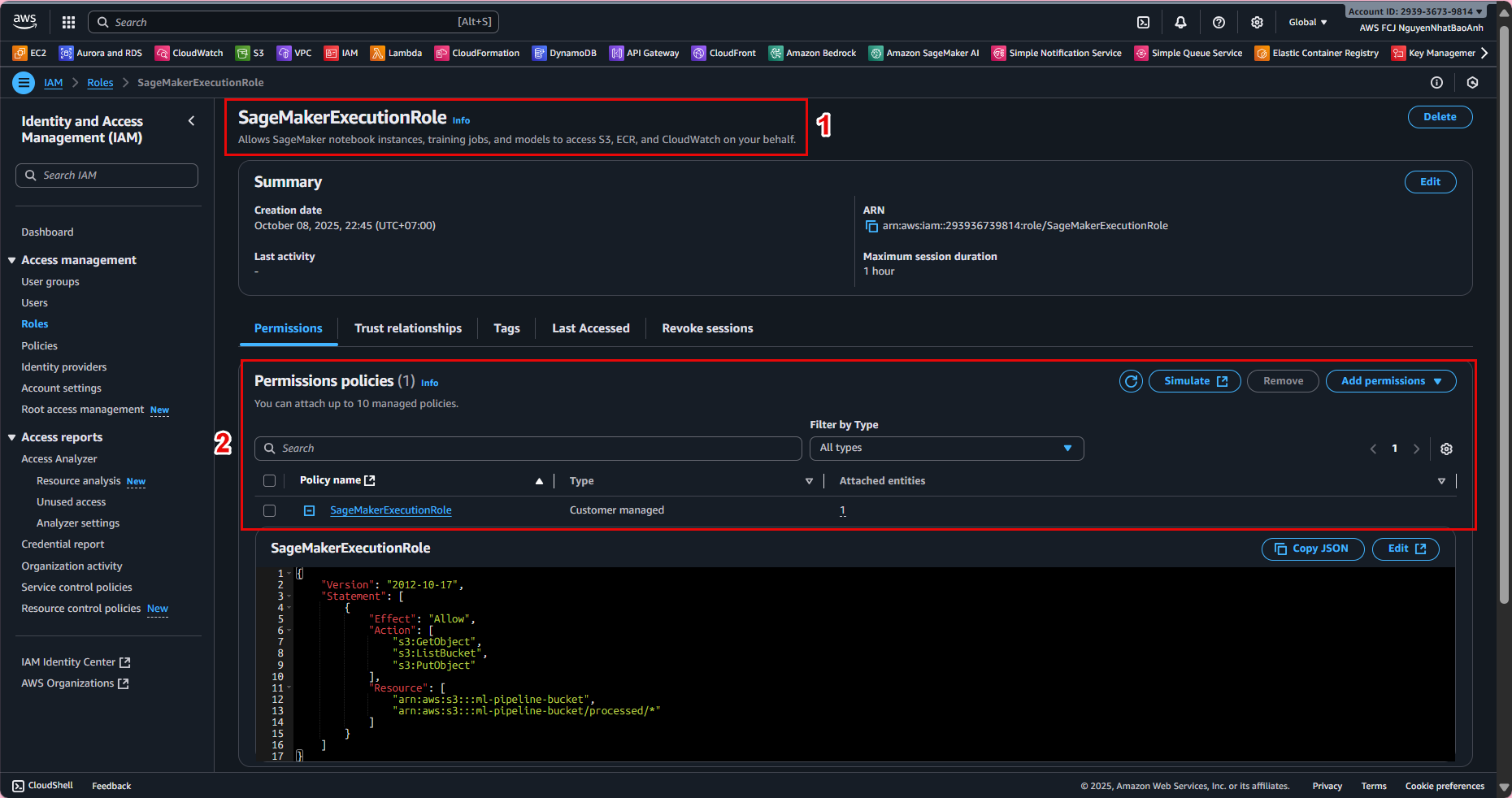
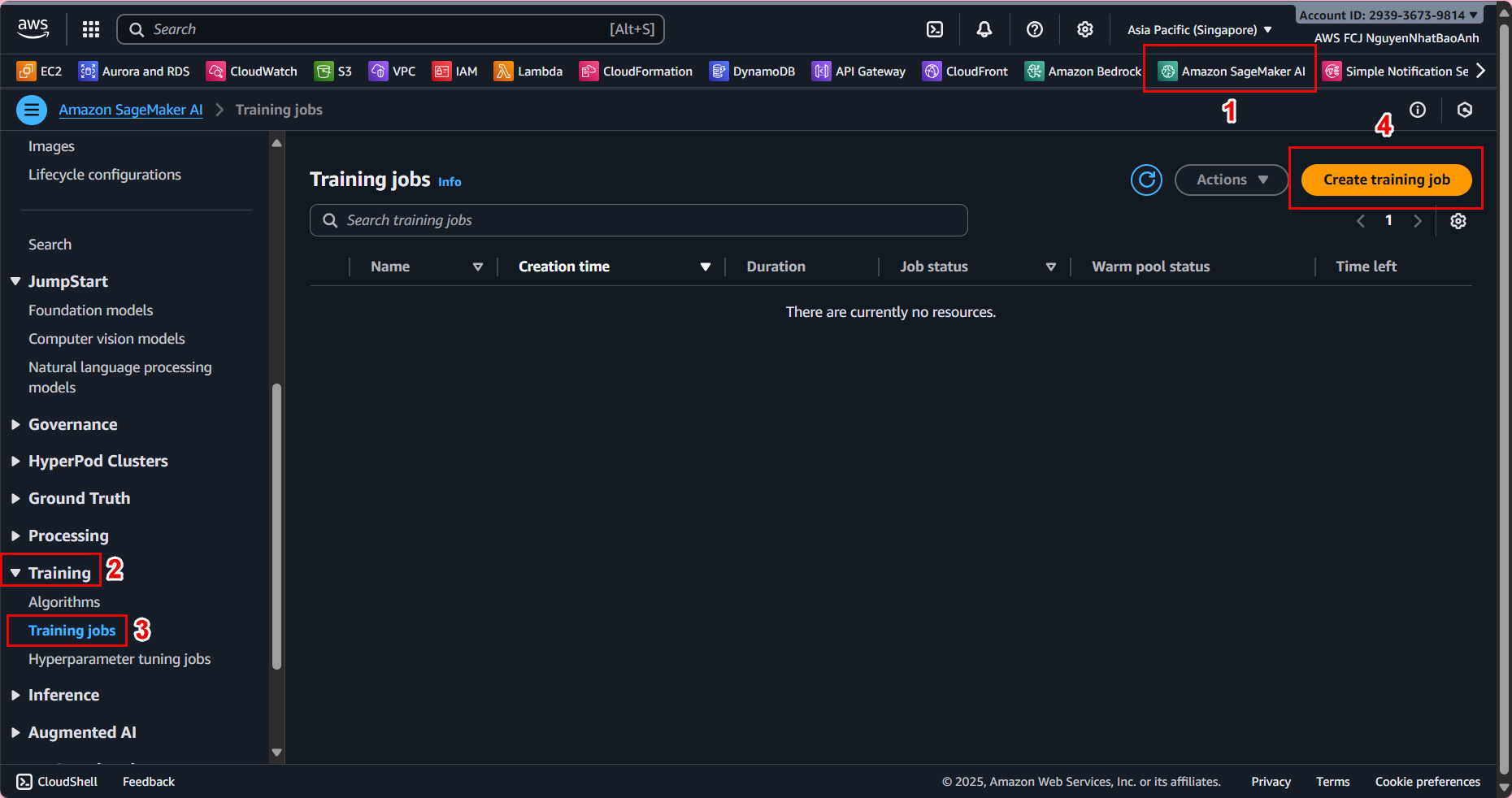
Go to AWS Management Console → find and open Amazon SageMaker.
-
In the left navigation bar, select Training jobs → Create training job.
📁 2. Name and basic configuration
-
Training job name:
ml-pipeline-training-job -
IAM Role: Select a role that has access to S3 and SageMaker (e.g.,
SageMakerExecutionRole). -
Algorithm source:
-
Select Your own algorithm container if you have a custom script.
-
Or select Built-in algorithm (e.g., XGBoost) for quick testing.
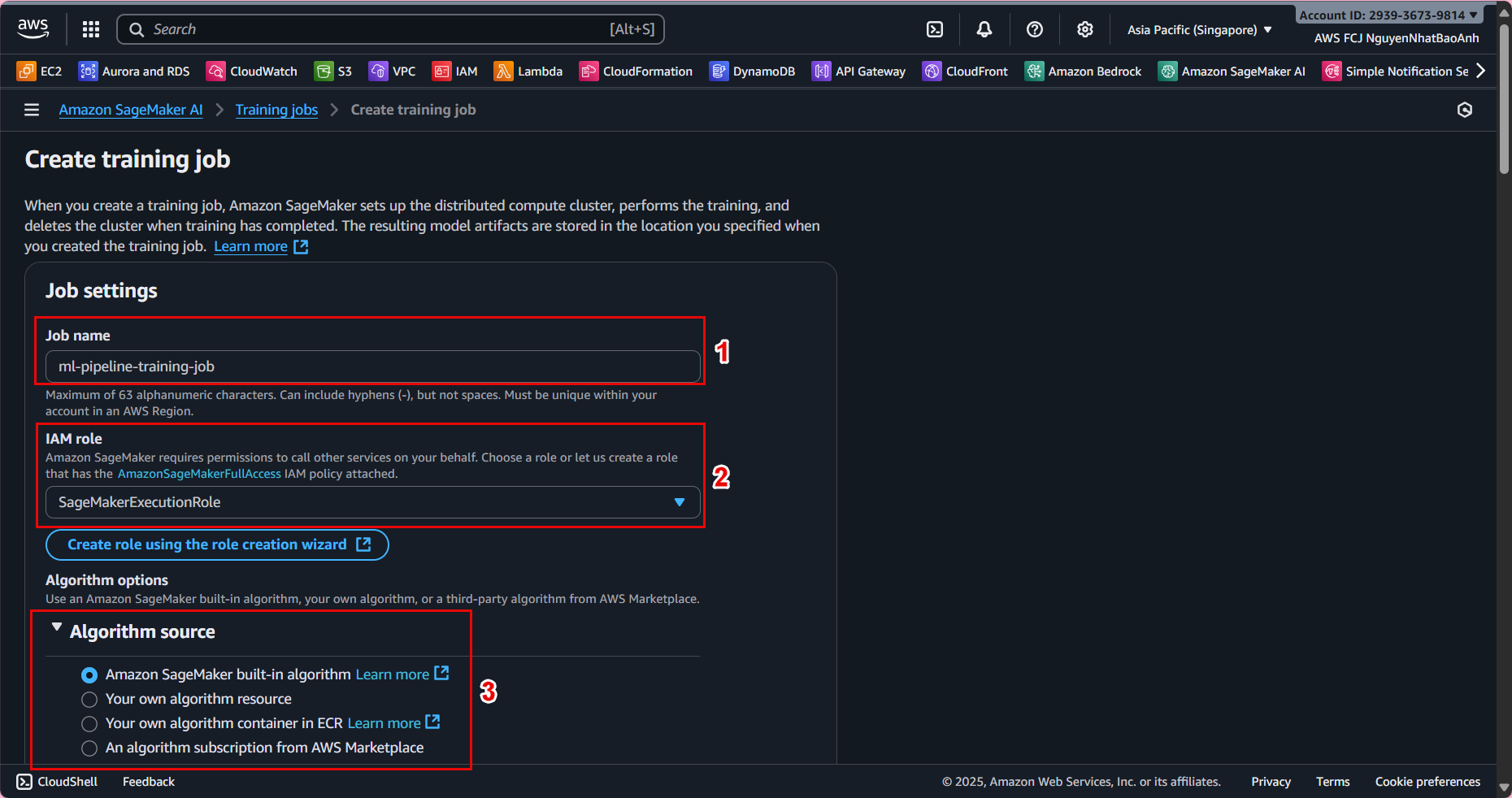
💡 If this is your first time experimenting, we recommend choosing the XGBoost built-in container to simplify the training process.
📦 3. Configure training data
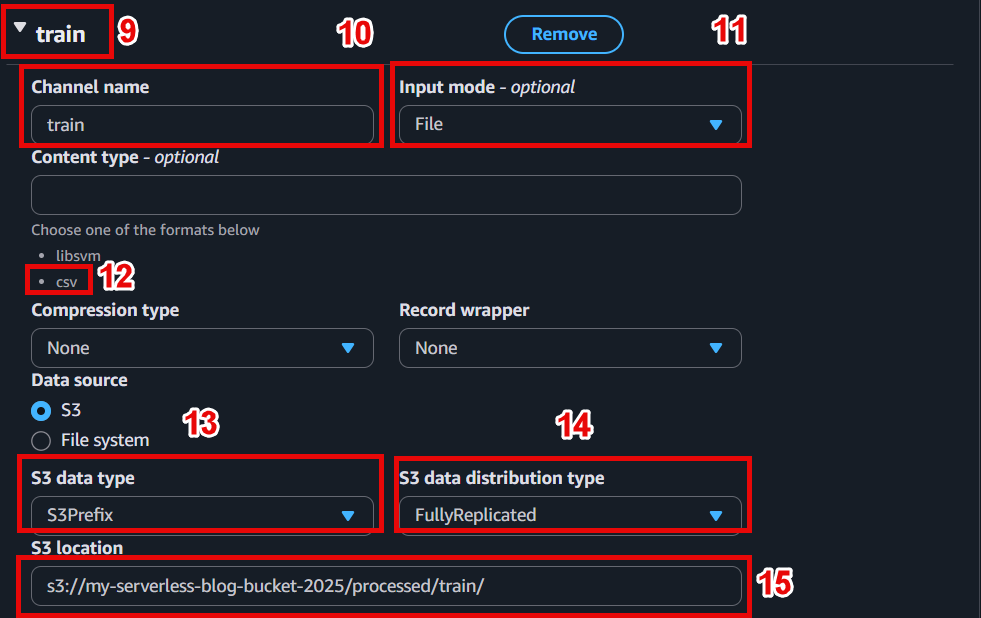
In the Input data configuration section:
- Channel name:
train - Input mode: File
- S3 location: s3://ml-pipeline-bucket/processed/train/
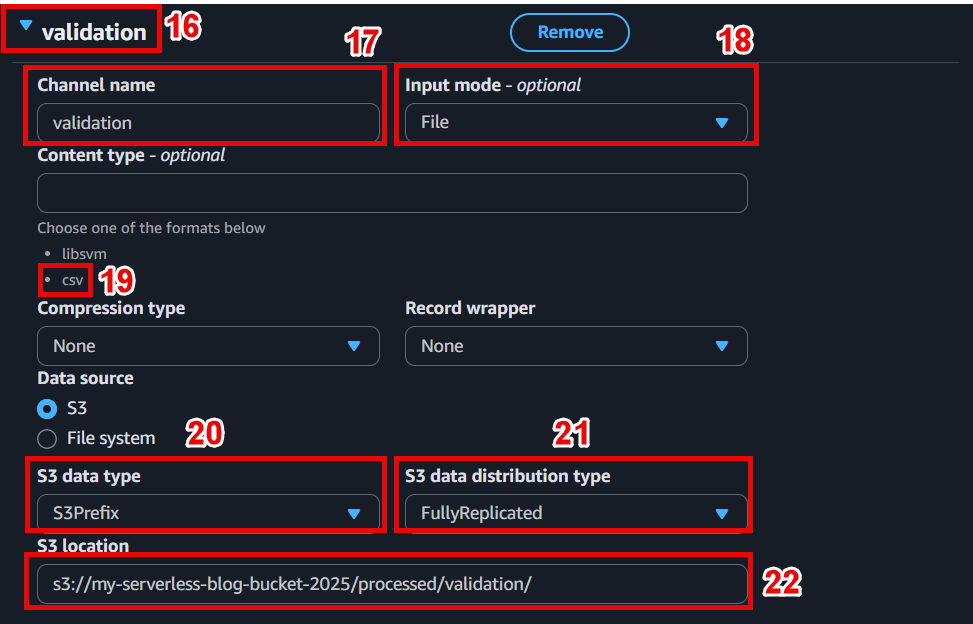
Add a new channel for validation:
- Channel name:
validation - S3 location: s3://ml-pipeline-bucket/processed/validation/
📁 The S3 structure should be as follows:
ml-pipeline-bucket/
└─ processed/
├─ train/
│ └─ train.csv
└─ validation/
└─ val.csv
⚙️ 4. Configure training resources
- Instance type:
ml.m5.large(or choose GPU instance if model requires) - Instance count:
1 - Volume size:
10 GB - Max runtime:
3600(limited to 1 hour of training)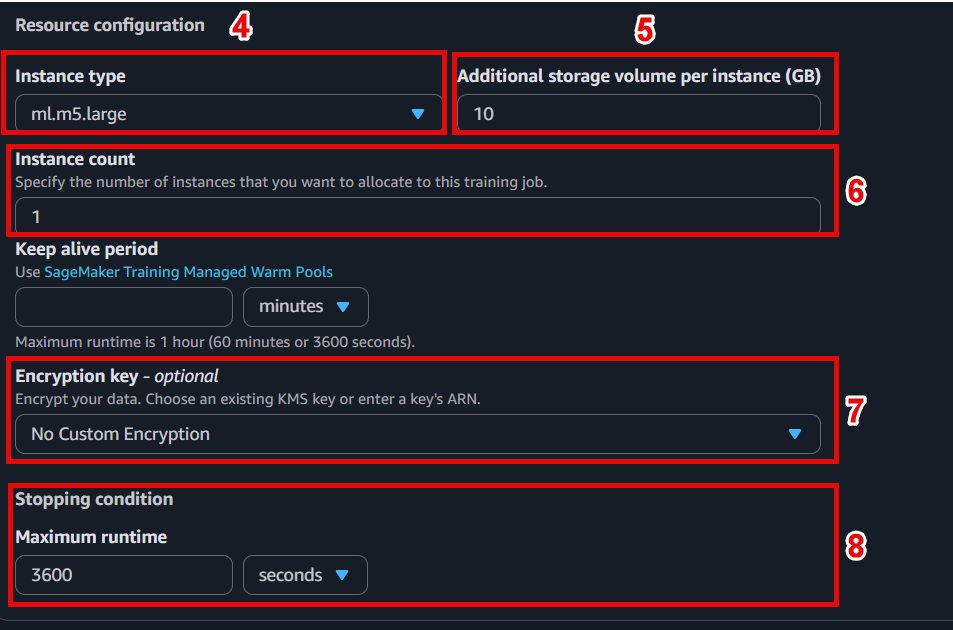
⚠️ Choose an instance size that fits your budget. Instances like ml.m5.large are in the Free Tier and are powerful enough for demos.
📤 5. Set the location to save the model after training
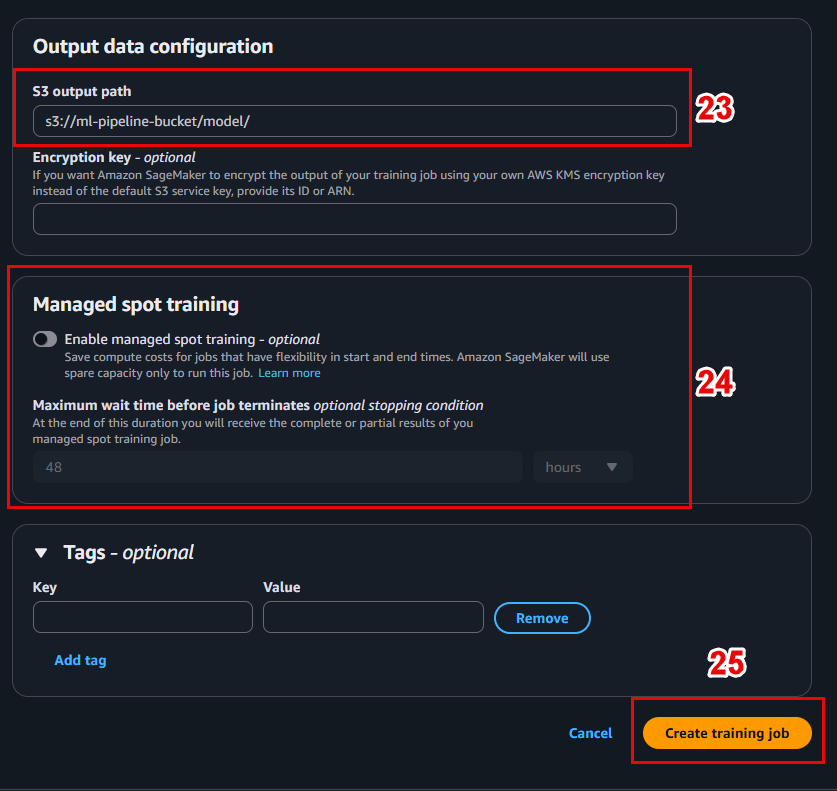
In the Output data configuration section:
- S3 output path: s3://ml-pipeline-bucket/model/
SageMaker will save the trained model file (e.g. model.tar.gz) here.
🧪 6. Initialize Training Job
-
Check all the configurations again.
-
Click Create training job to start the training process.
📊 Interface when the job is running:
🔎 7. Monitor progress and check results
-
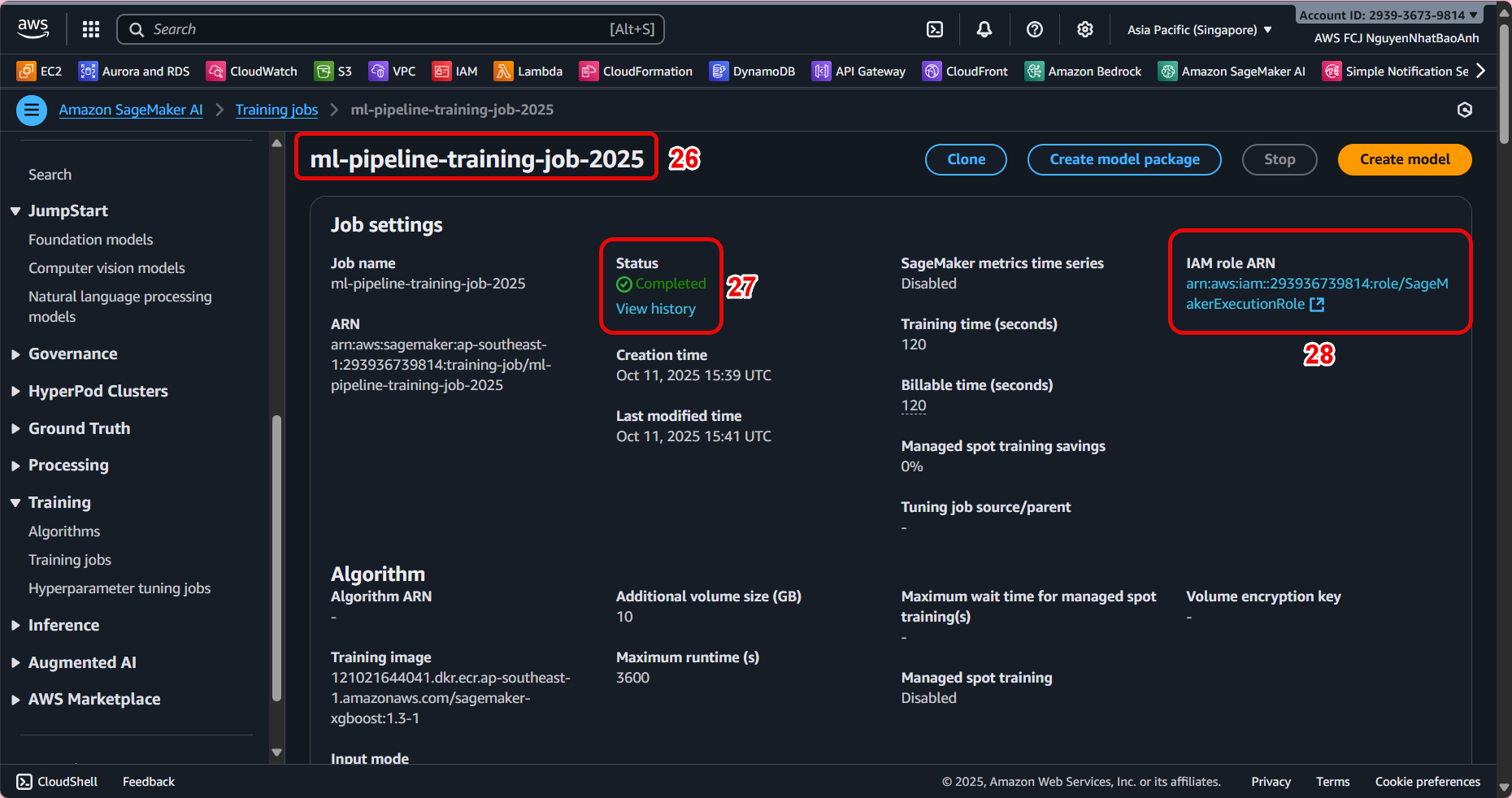
In the list of Training jobs, select the job you just created.
-
Check the status:
InProgress→Completed. -
View detailed logs in CloudWatch Logs to monitor the training process.
Once completed, the model file will be saved at: s3://ml-pipeline-bucket/model/model.tar.gz
- If the job fails, check your IAM permissions and S3 path.
- Make sure the data in
train/andvalidation/has a valid structure and format.
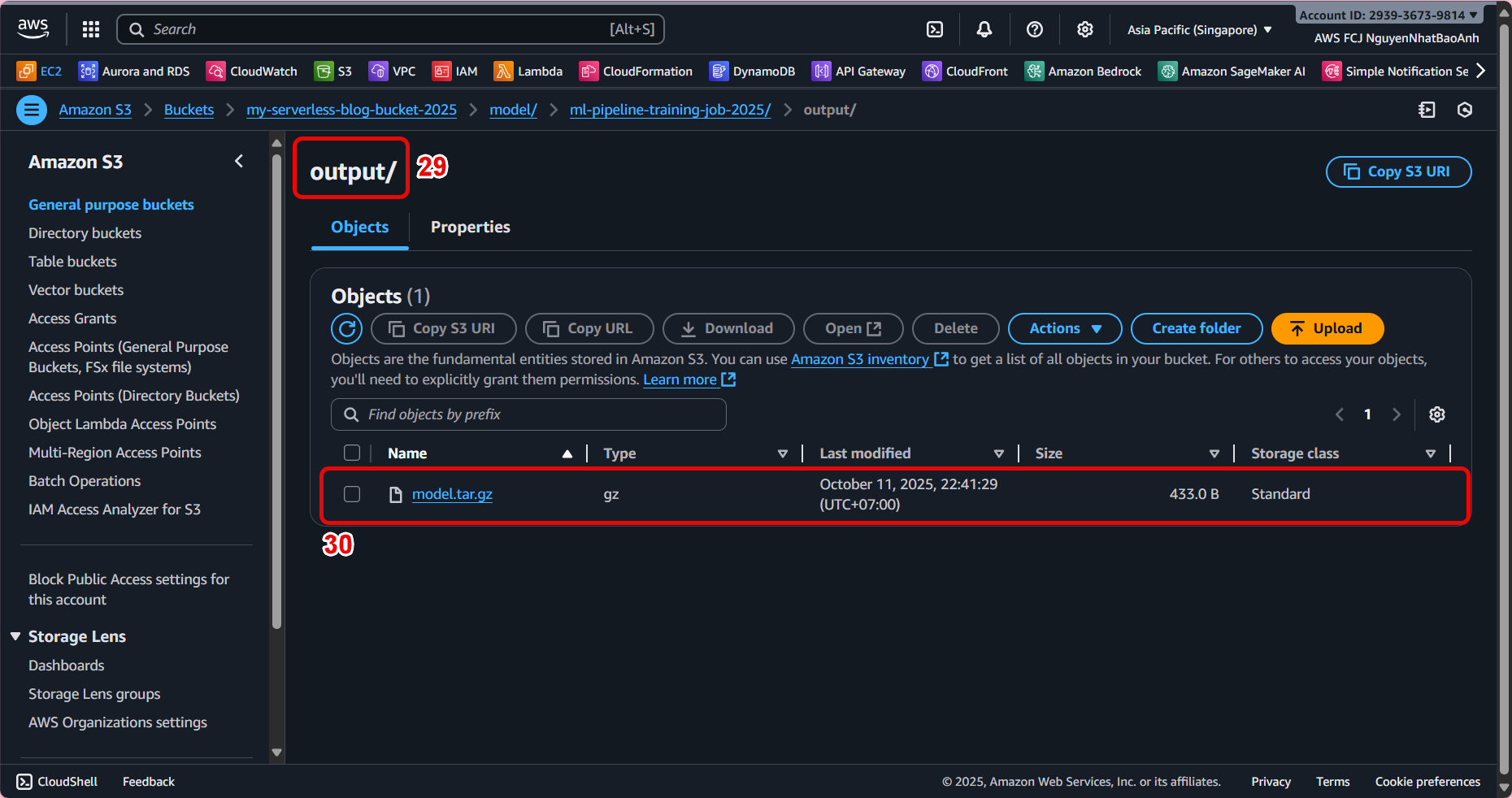
✅ Done
You have successfully created a SageMaker Training Job and trained the model using preprocessed data from Lambda.