Build Lambda Function and REST API for Inference
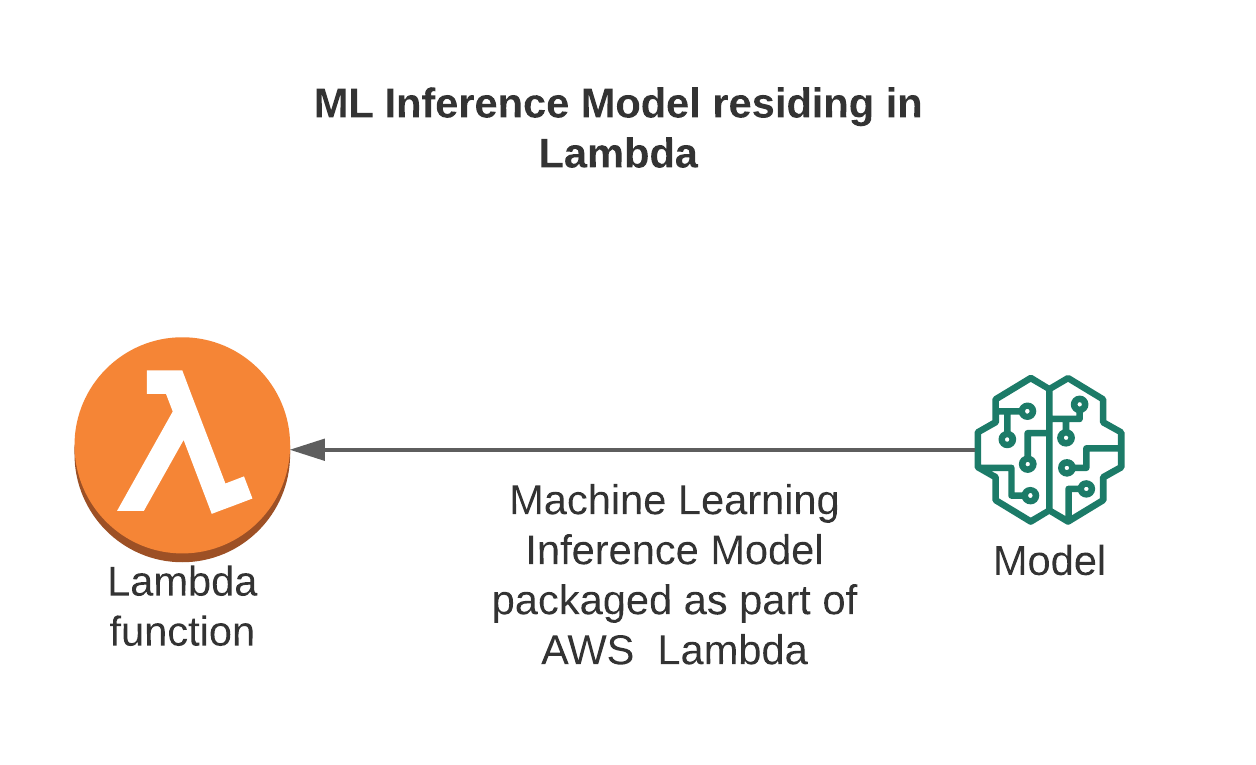
In this section, we will implement a Lambda function to call the model deployed on SageMaker Endpoint (step 6) and create a REST API Gateway so that the client can send inference requests. This is the important link to help turn the ML model into a complete prediction service.
🎯 Goals
-
Create a Lambda function that calls SageMaker Endpoint to handle inference.
-
Connect Lambda to API Gateway to create REST API.
-
Check inference from Postman or browser.
🧠 7.1 – Create Lambda Function to Call SageMaker Endpoint
- Go to AWS Management Console → Lambda → Create function
- Configure:
- Function name:
invoke-ml-endpoint - Runtime:
Python 3.9 - Execution role: Select the role that has permission to call SageMaker (or create a new role with permissions
AmazonSageMakerFullAccessandAWSLambdaBasicExecutionRole)
- Click Create function

✏️ 7.2 – Write Lambda code to call Endpoint
Replace the default content in the Code tab with the following code:
import json
import boto3
import os

runtime = boto3.client('sagemaker-runtime')

ENDPOINT_NAME = os.environ.get('ENDPOINT_NAME', 'ml-blog-endpoint')

def lambda_handler(event, context):
try:
body = json.loads(event['body'])
features = body.get('features')

if features is None:
return {
"statusCode": 400,
"body": json.dumps({"error": "Missing 'features' in request body"})
}

response = runtime.invoke_endpoint(
EndpointName=ENDPOINT_NAME,
ContentType='application/json',
Body=json.dumps({"features": features})
)

result = json.loads(response['Body'].read().decode())

return {
"statusCode": 200,
"headers": {"Content-Type": "application/json"},
"body": json.dumps({"prediction": result})
}

except Exception as e:
return {
"statusCode": 500,
"body": json.dumps({"error": str(e)})
}
📌 Explanation:
- ENDPOINT_NAME: endpoint name deployed in step 6.
- Lambda receives JSON data from client (features), calls SageMaker endpoint, and returns prediction results.
- In Configuration → Environment variables, add variables:
- Key: ENDPOINT_NAME
- Value: ml-blog-endpoint
- Click Deploy to save the function.
🌐 7.3 – Create REST API Gateway connecting Lambda
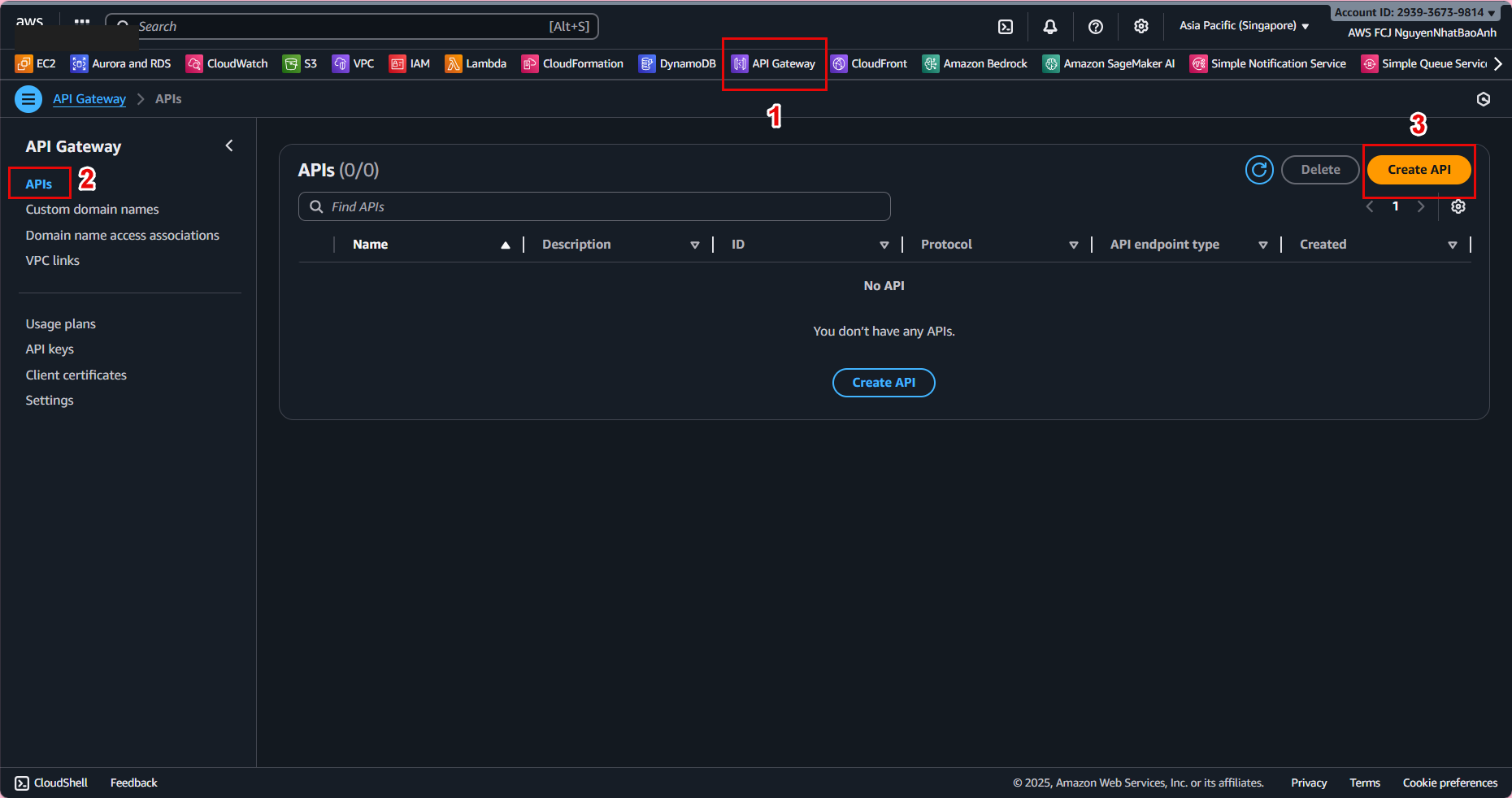
- Go to API Gateway → Create API
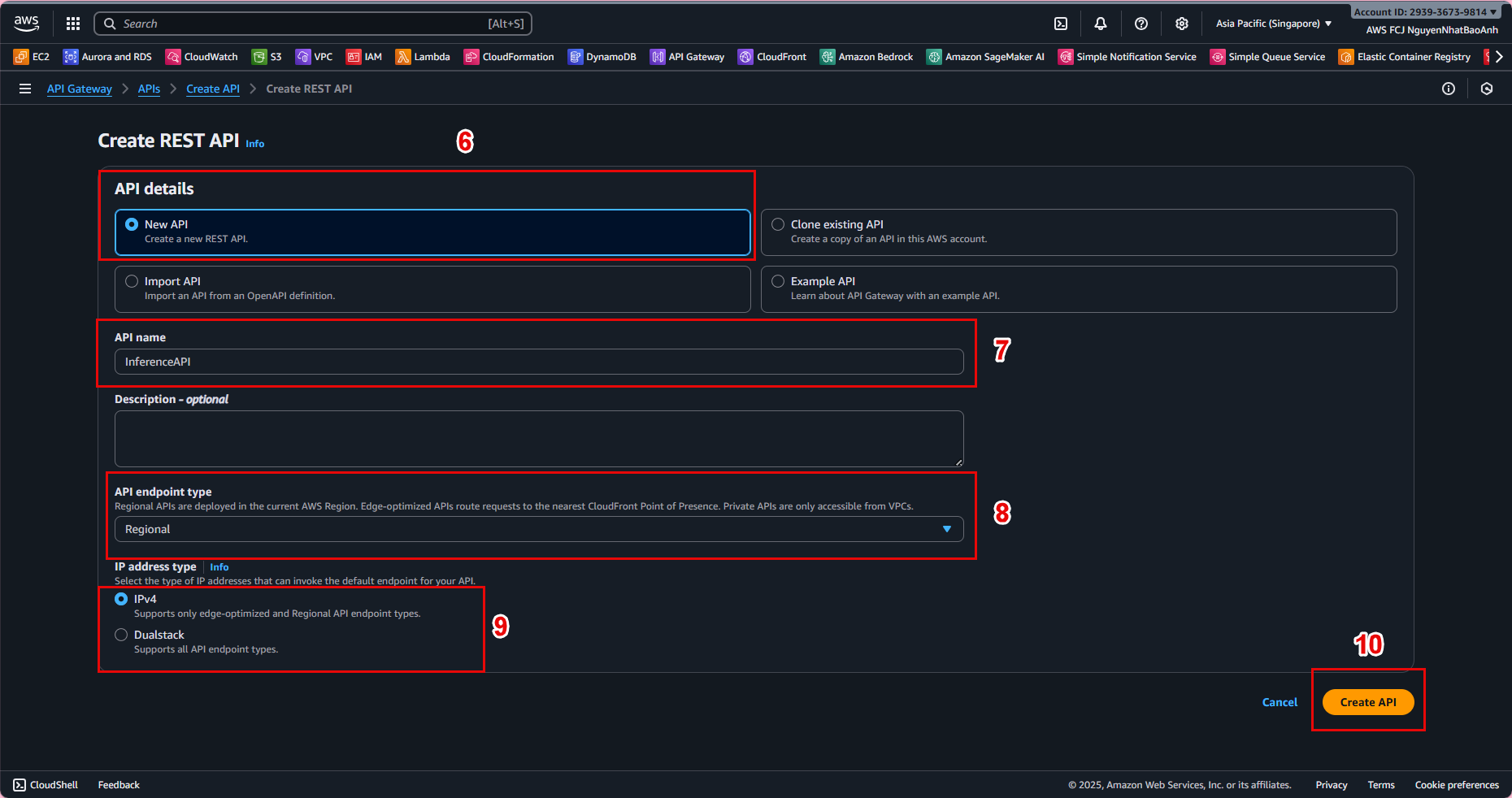
- Select REST API → Build
- API name: InferenceAPI
- Endpoint Type: Regional
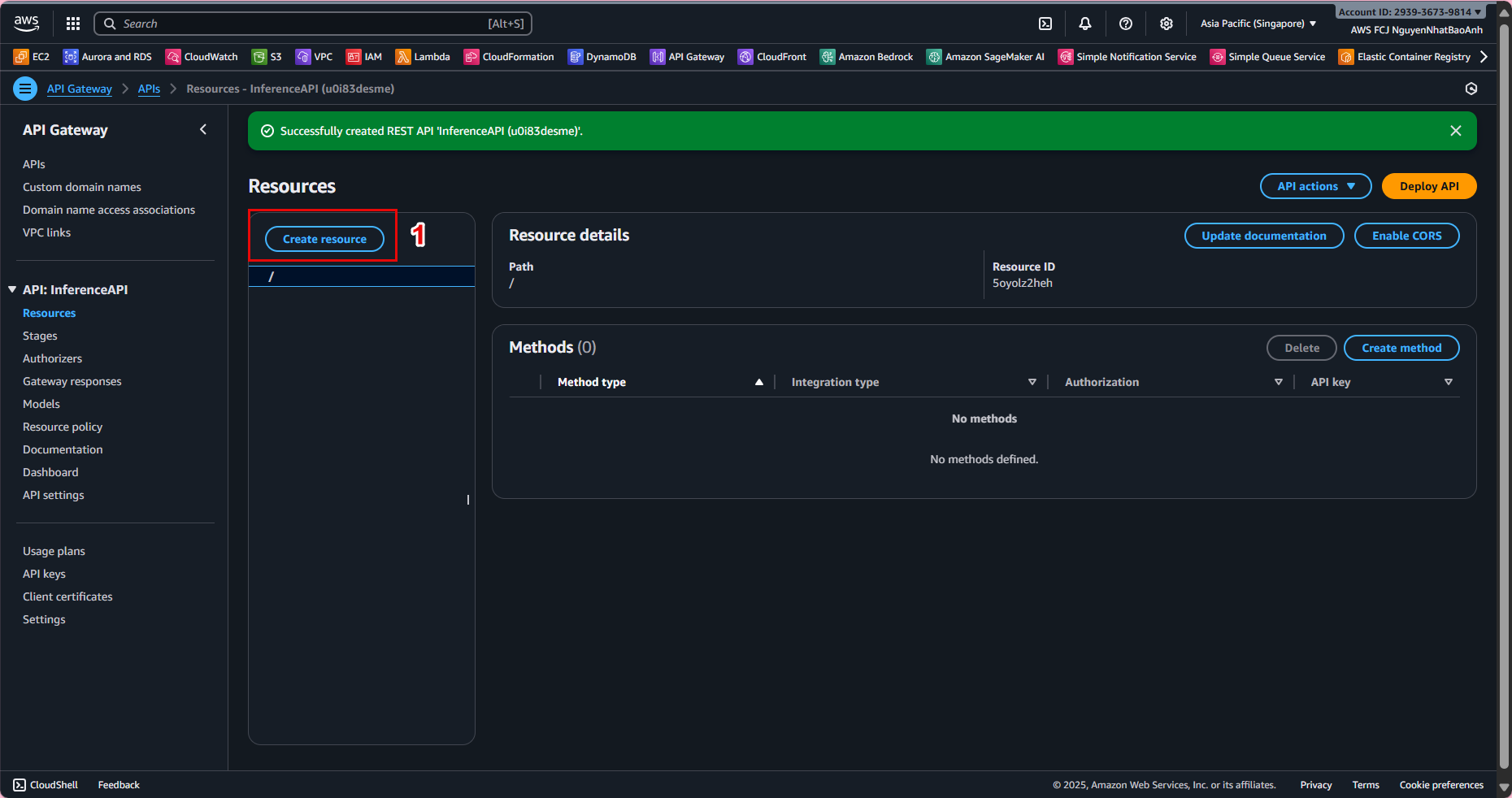
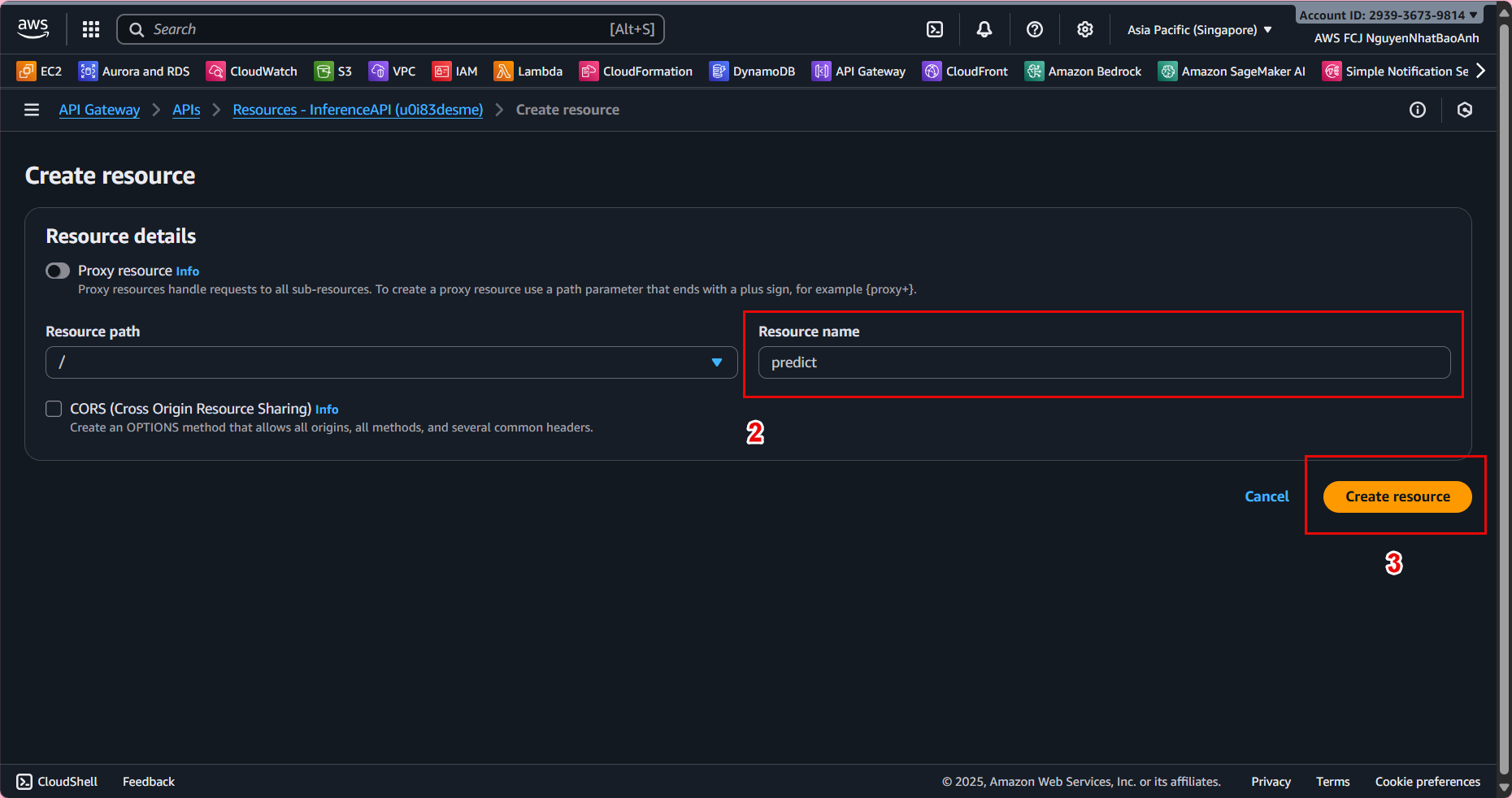
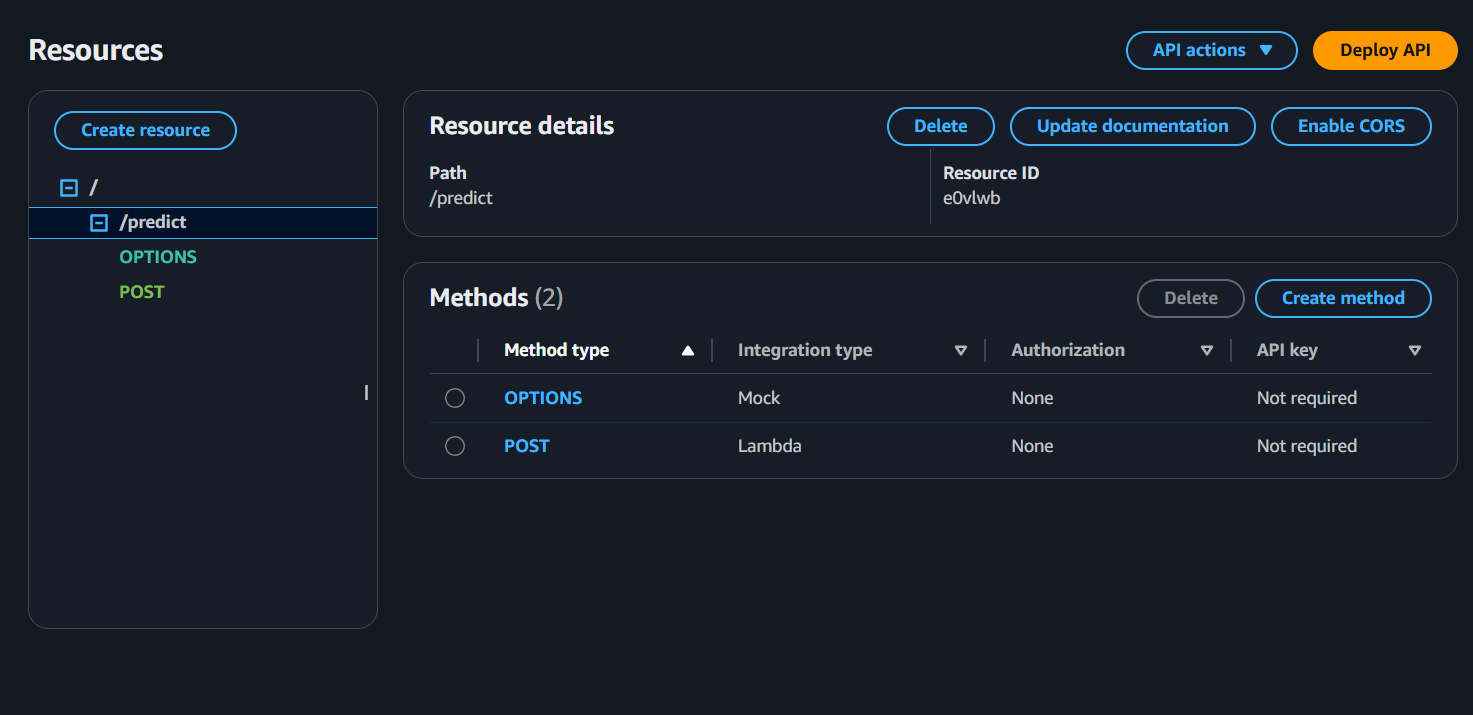
- Create resource /predict:
- In Resources, select Actions → Create Resource
- Resource name: predict
- Resource path: /predict
- Enable API Gateway CORS → Create Resource
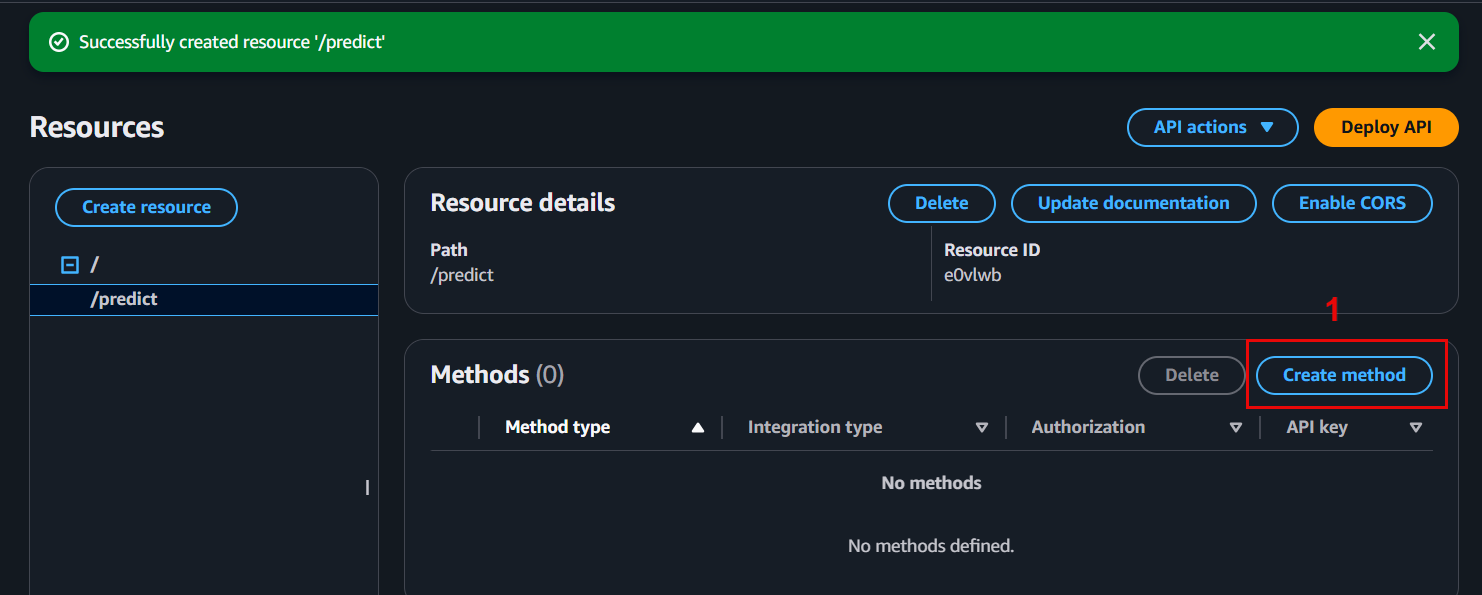
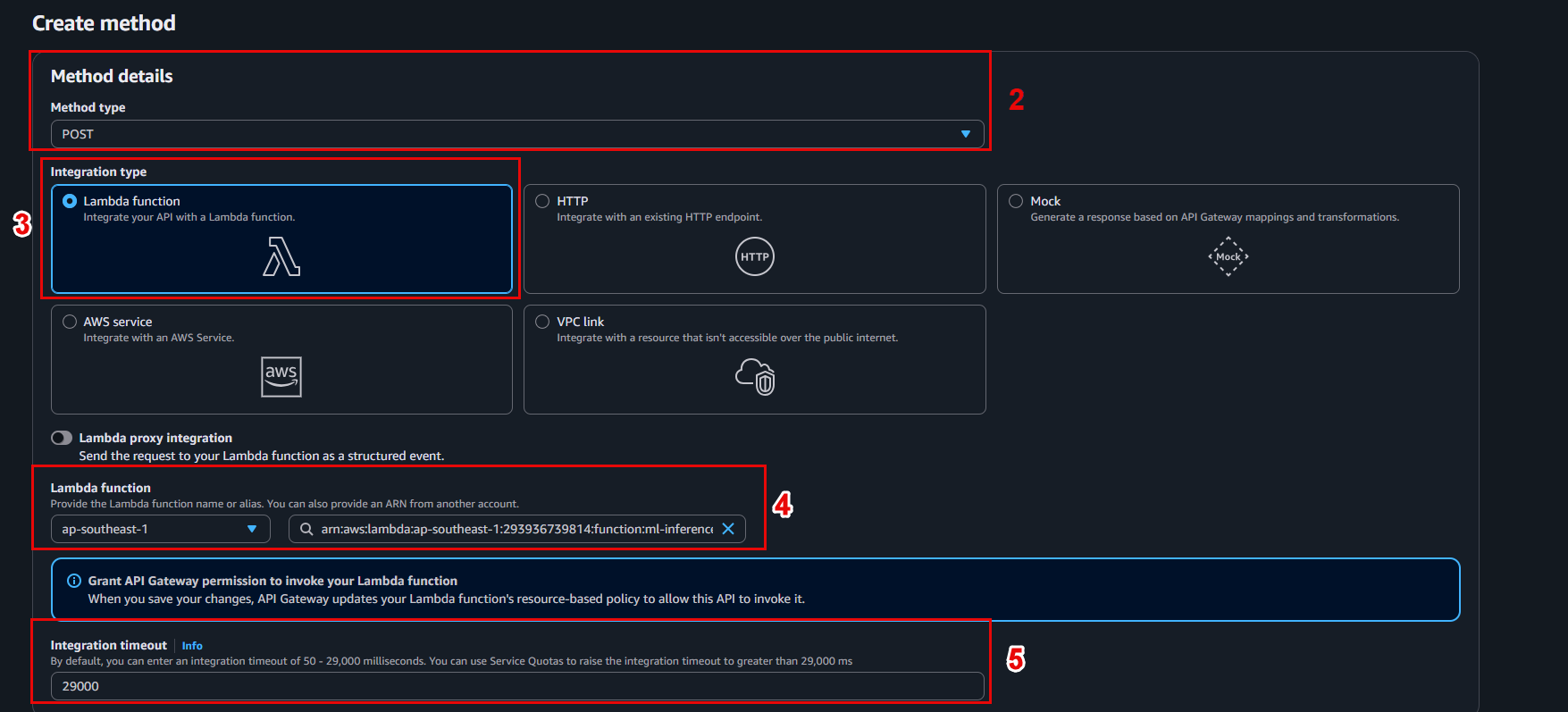
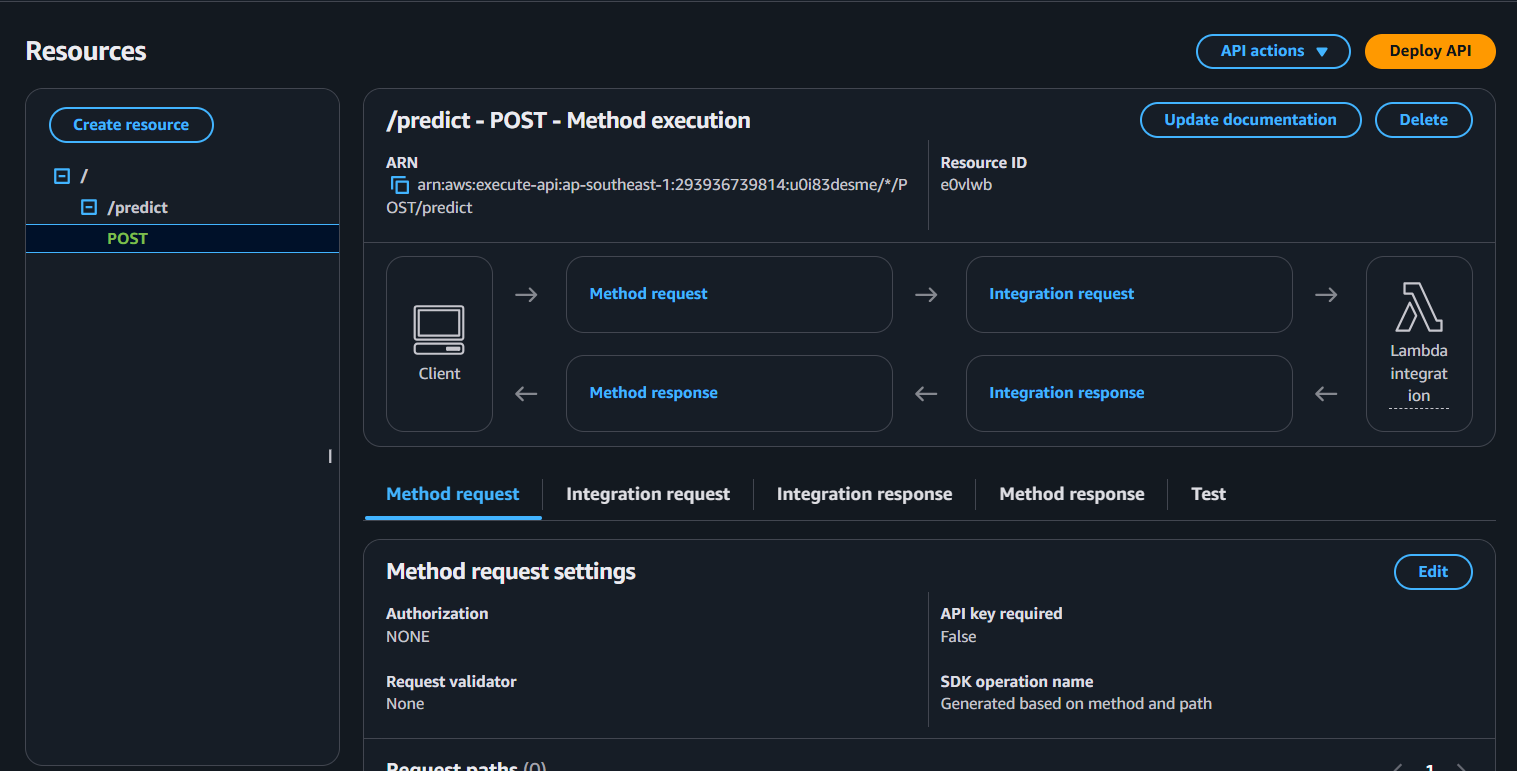
- Add POST method:
- Select /predict → Actions → Create Method → POST
- Integration type: Lambda Function
- Lambda Function: invoke-ml-endpoint
- Click Save and confirm permissions.
🔄 7.4 – Enable CORS and Deploy API
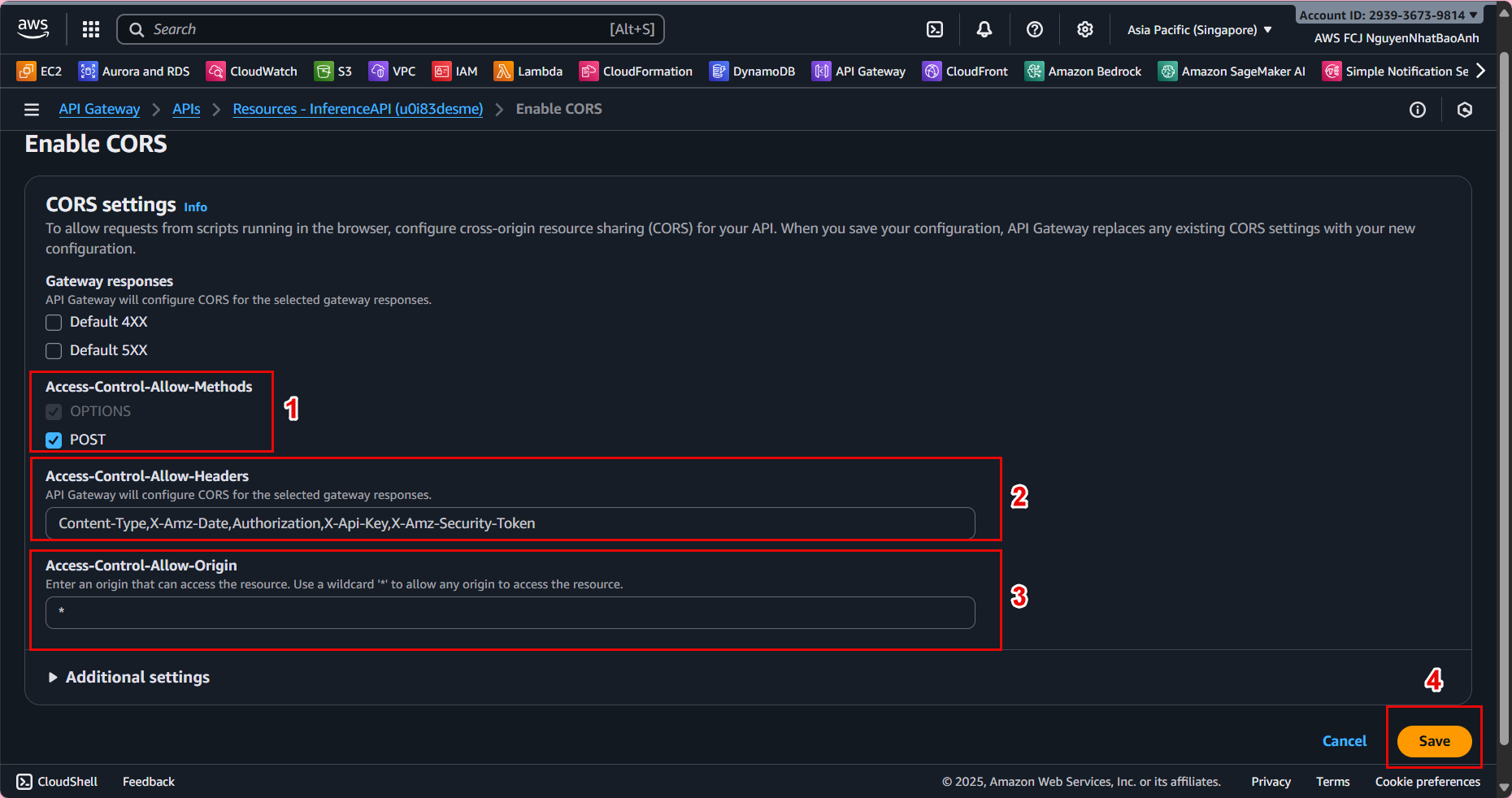
- In Resources, select Actions → Enable CORS
- Keep the default configuration and click Enable CORS and replace existing CORS headers
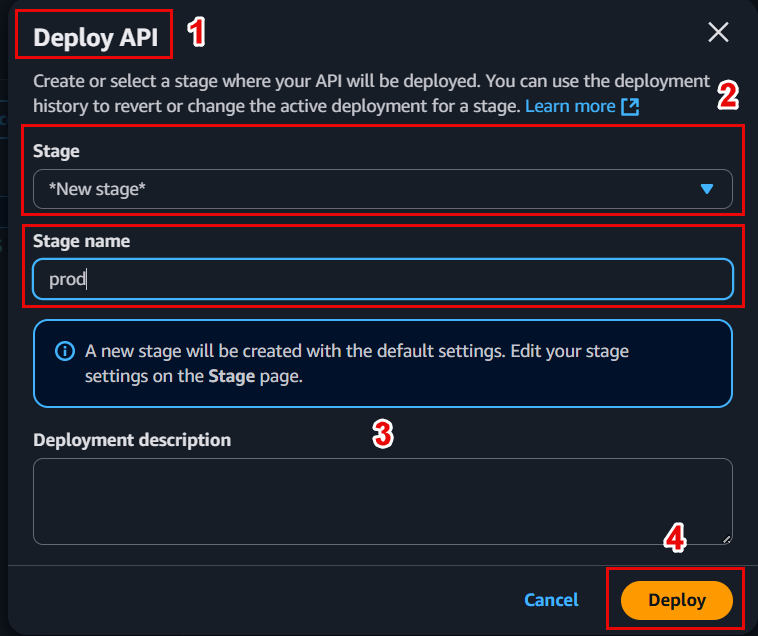
- Deploy API:
- Actions → Deploy API
- Deployment stage: [New Stage] → name prod
- Click Deploy
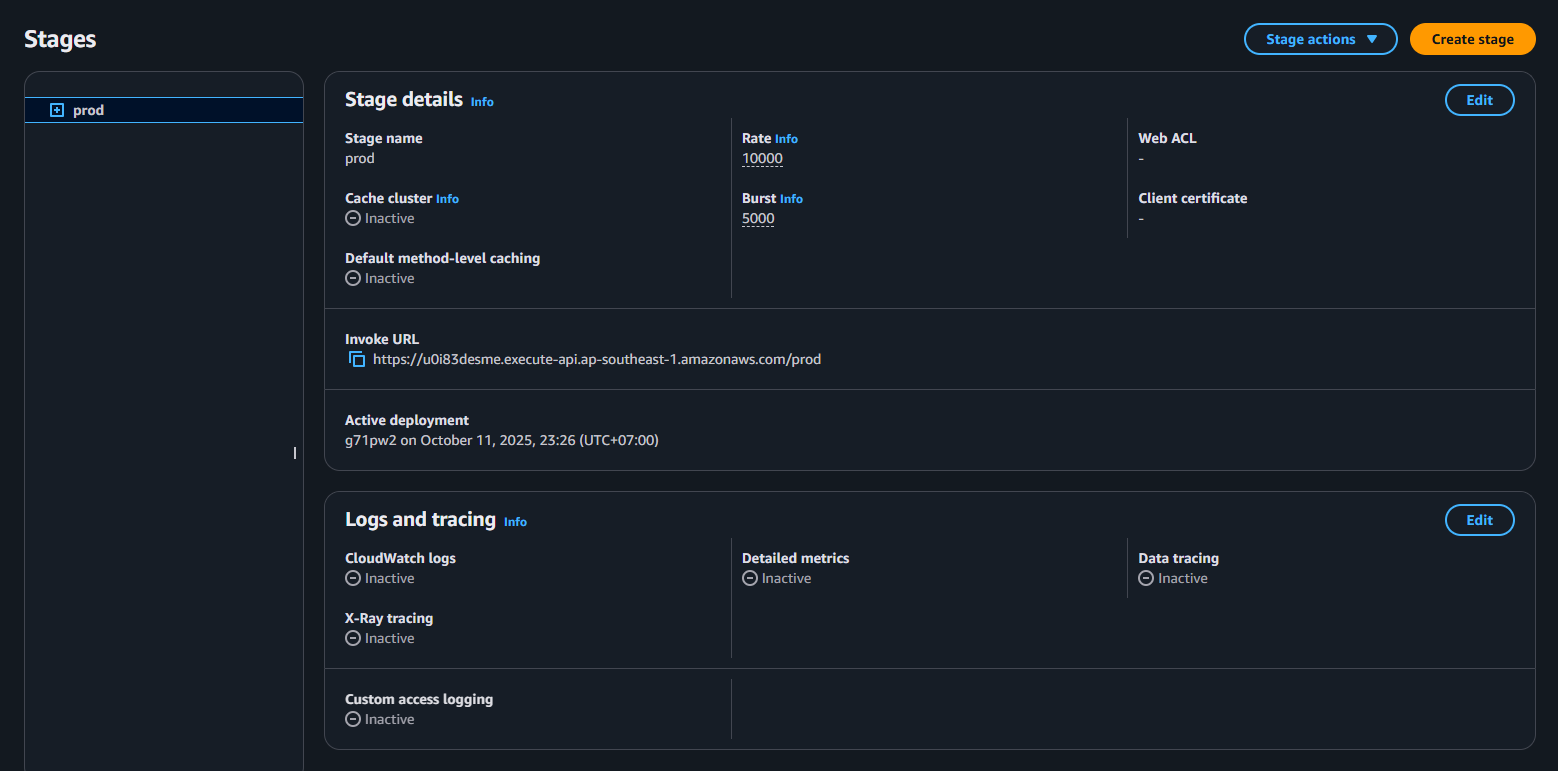
📌 Save the Invoke URL for example:
https://abc123xyz.execute-api.ap-southeast-1.amazonaws.com/prod/predict
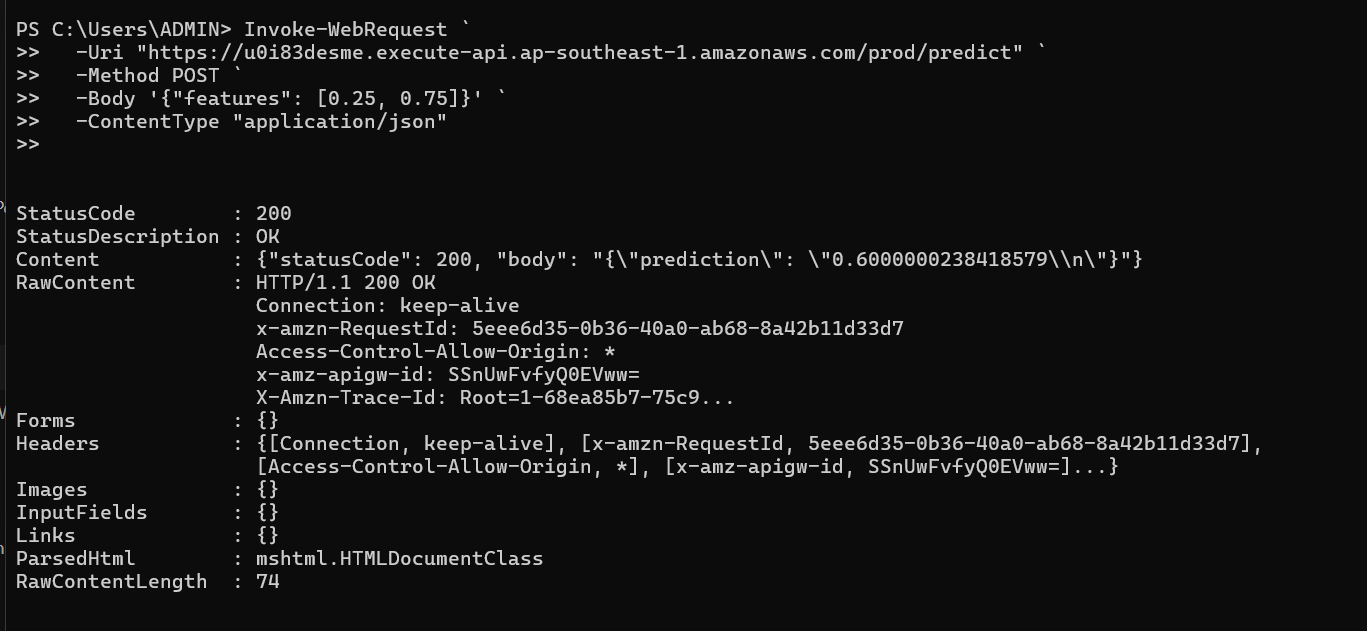
🧪 7.5 – Test API Inference
You can use Postman or curl command to test:
curl -X POST \
https://abc123xyz.execute-api.ap-southeast-1.amazonaws.com/prod/predict \
-H "Content-Type: application/json" \
-d '{
"features": [0.45, 0.12, 0.88, 0.33]
}'
✅ Sample response:
{
"prediction": 1
}
📊 7.6 – Logging and monitoring
-
Check Lambda logs in CloudWatch Logs → help debug if errors occur.
-
Monitor metrics like Invocations, 4XXError, Latency to ensure API stability.
💡 You can add API authentication using API Keys, Cognito User Pools, or IAM Auth if deploying in production.
✅ Done
🎉 You have successfully built a Lambda function to call SageMaker Endpoint, created REST API Gateway, and successfully tested inference.