Creating a DynamoDB Table to Store Metadata Inference
Amazon DynamoDB is a fully managed, high-performance, and auto-scalable NoSQL database service. In this project, DynamoDB will be used to store metadata of inference requests from the model, including input, output, processing time, and model information.
This makes it easy for us to analyze, monitor, and retrieve inference history when needed.
DynamoDB in Machine Learning Pipeline Project
In this section, we will:
-
Create a DynamoDB table to store metadata for each inference.
-
Define the Primary key and important fields.
-
Configure access permissions so Lambda can write data to the table.
-
Check the table and verify that the data was written successfully.
🎯 Benefits of using DynamoDB:
-
Serverless & Auto-Scaling: No need to manage servers or data partitions.
-
High Performance: Meet millions of requests per second.
-
Easy Integration: Work directly with Lambda and other AWS services.
-
Inference History: Keep track of input, output, and inference time details.
🛠️ Create a DynamoDB table
- Go to AWS Management Console
- In the search bar, type DynamoDB and select the service.
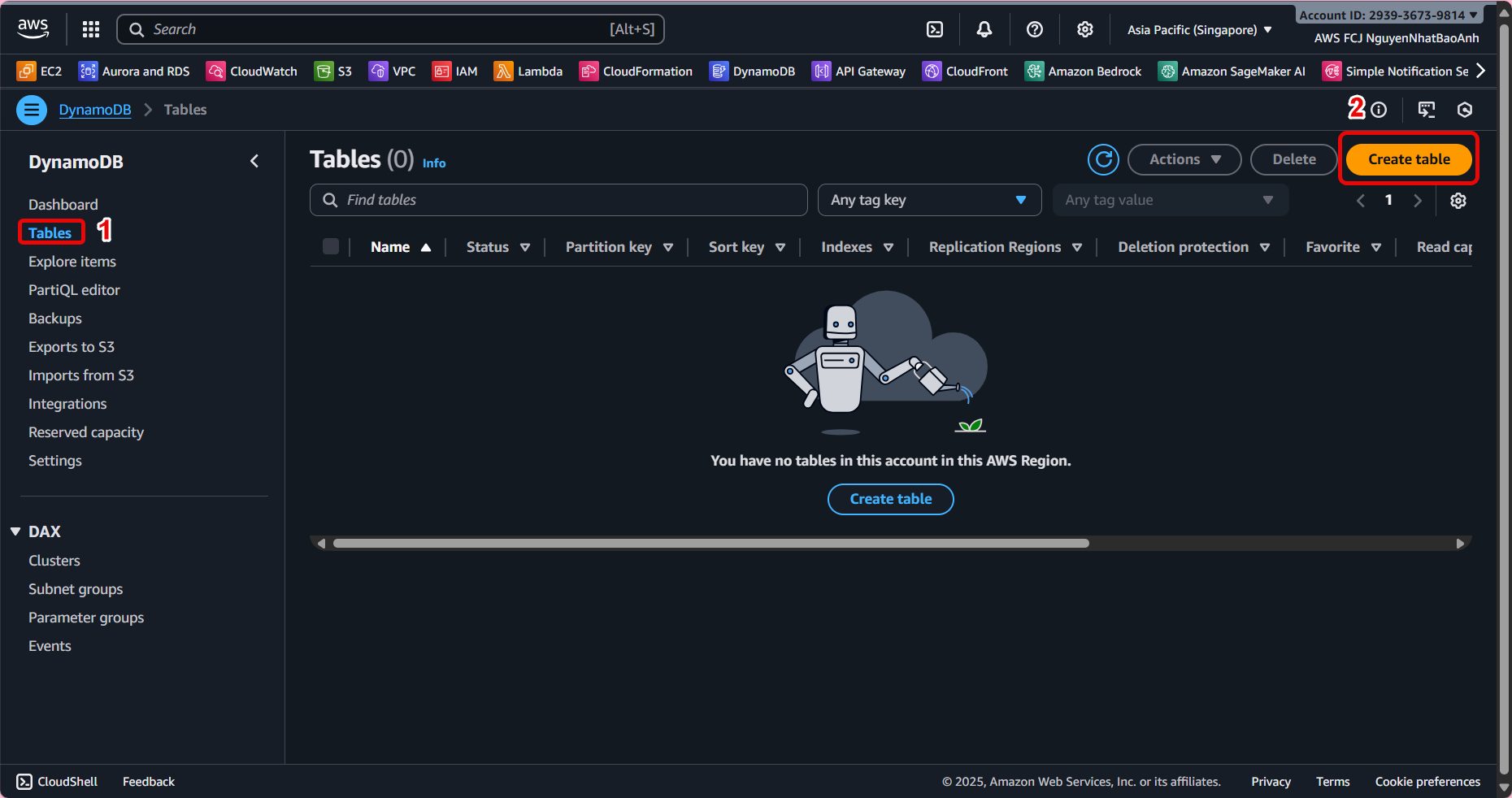
- Create new table
-
Select Create table.
-
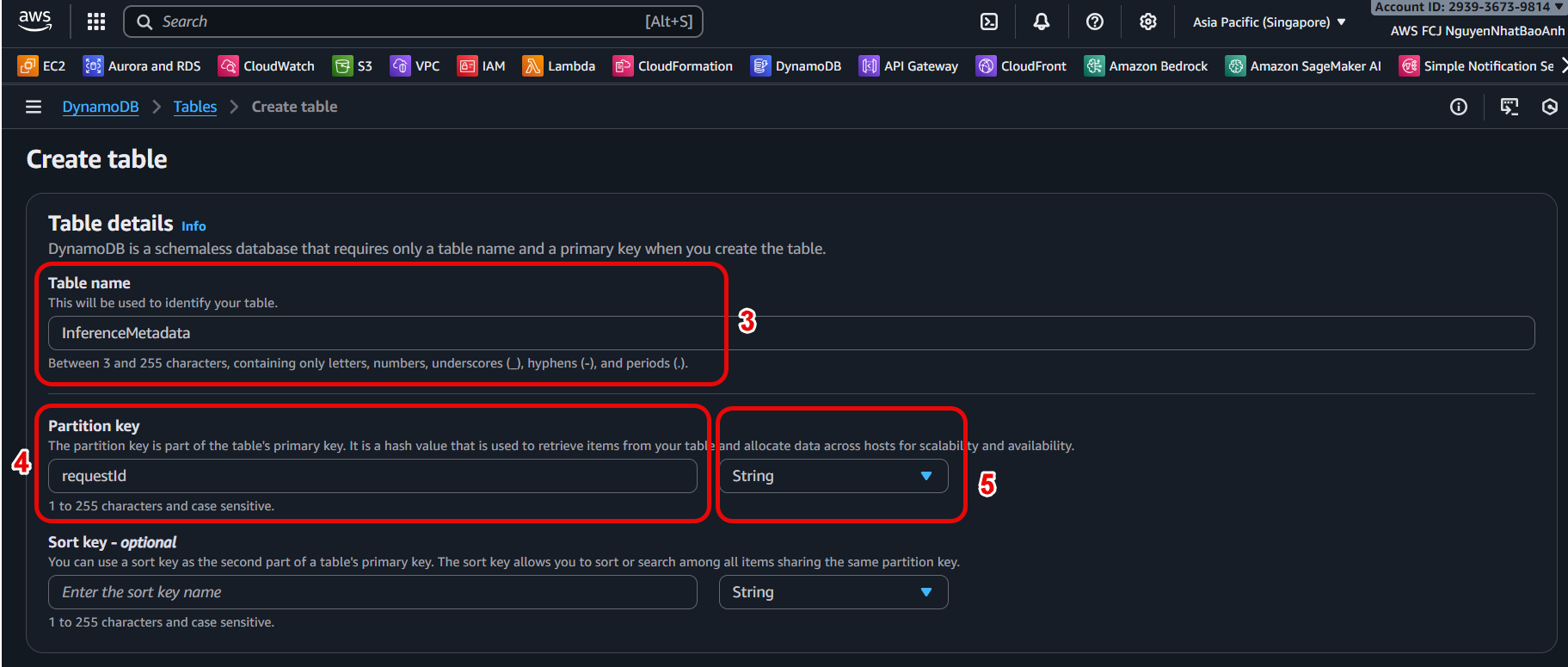
Table name: Enter the table name, e.g.,
InferenceMetadata. -
Partition key: Enter
requestId(of typeString). -
No need to add a Sort key (optional).
-
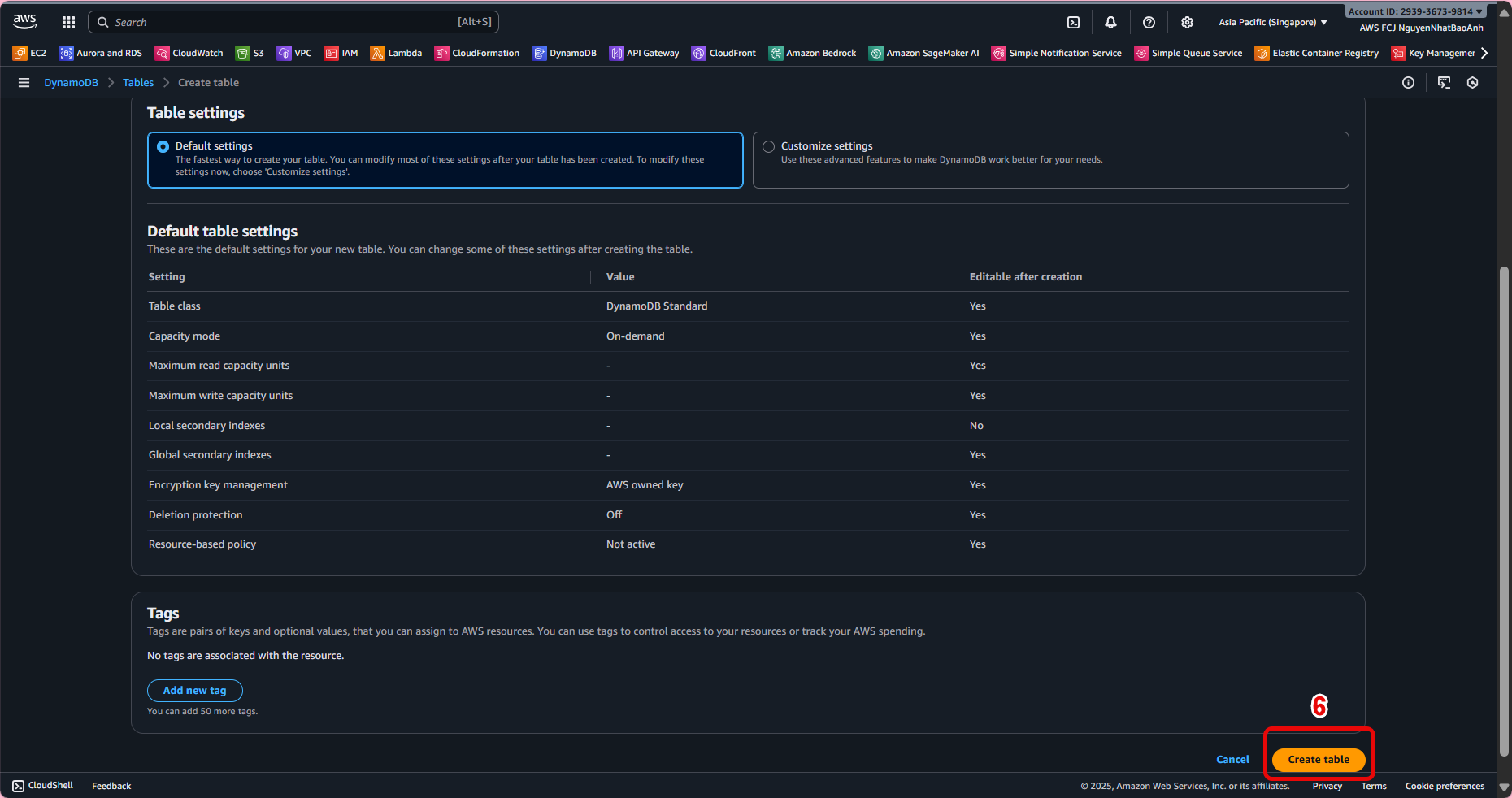
Keep the remaining settings default.
-
Click Create table.
- Suggested data structure
Each record in the table can contain the following fields:
| Field | Data Type | Description |
|---|---|---|
requestId |
String | Unique ID for each inference request |
timestamp |
String | Time taken to perform inference |
modelName |
String | Model name used |
inputData |
String | Input data |
prediction |
String | Model result returned |
latencyMs |
Number | Latency (ms) of inference process |
- Grant access to Lambda
-
Open IAM Console, select Lambda inference role (e.g.
lambda-inference-role). -
Add DynamoDB access by attaching the following policy:
{
"Version": "2012-10-17",
"Statement": [
{
"Effect": "Allow",
"Action": [
"dynamodb:PutItem",
"dynamodb:DescribeTable"
],
"Resource": "arn:aws:dynamodb:<region>:<account-id>:table/InferenceMetadata"
}
]
}
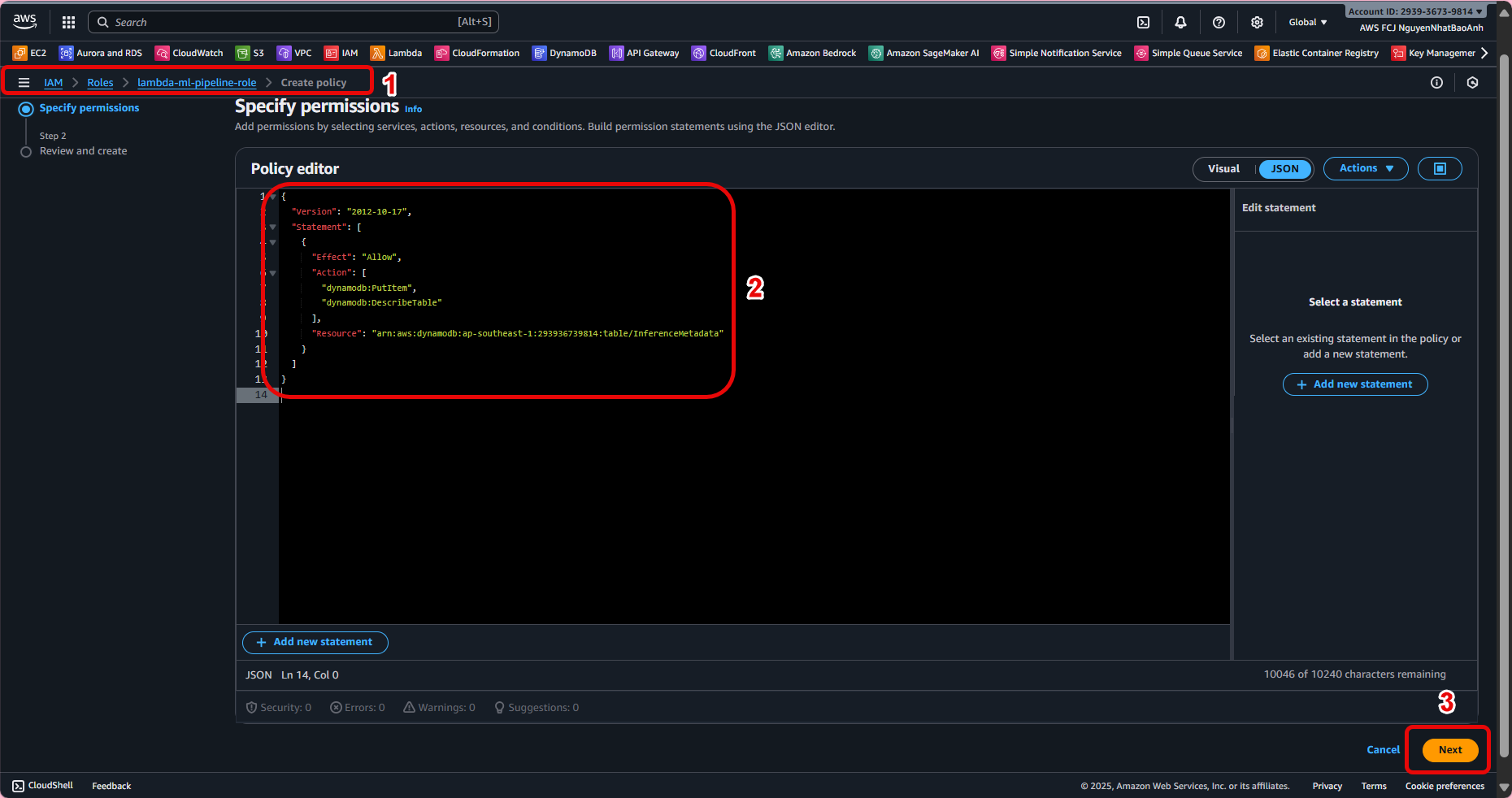
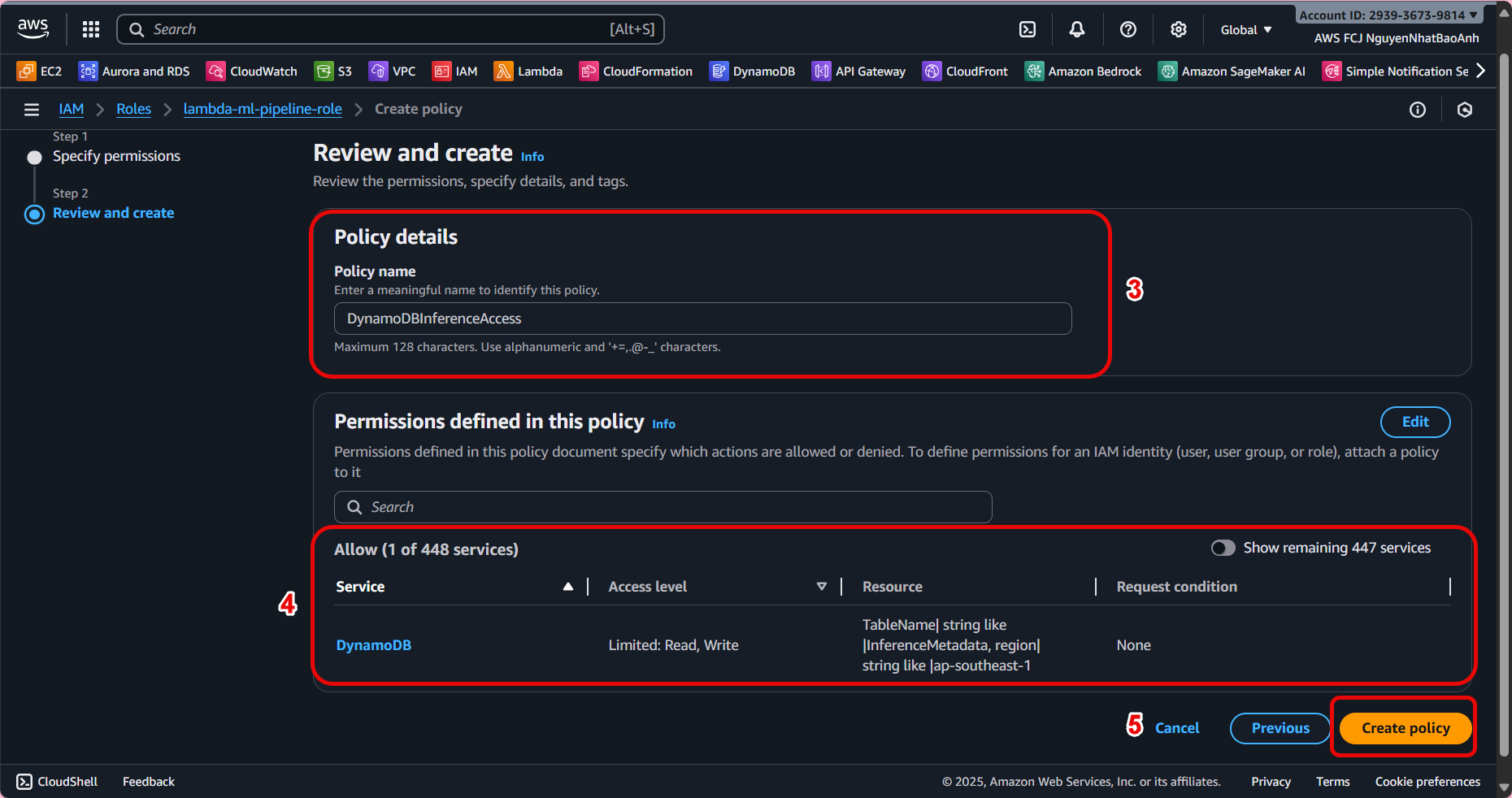
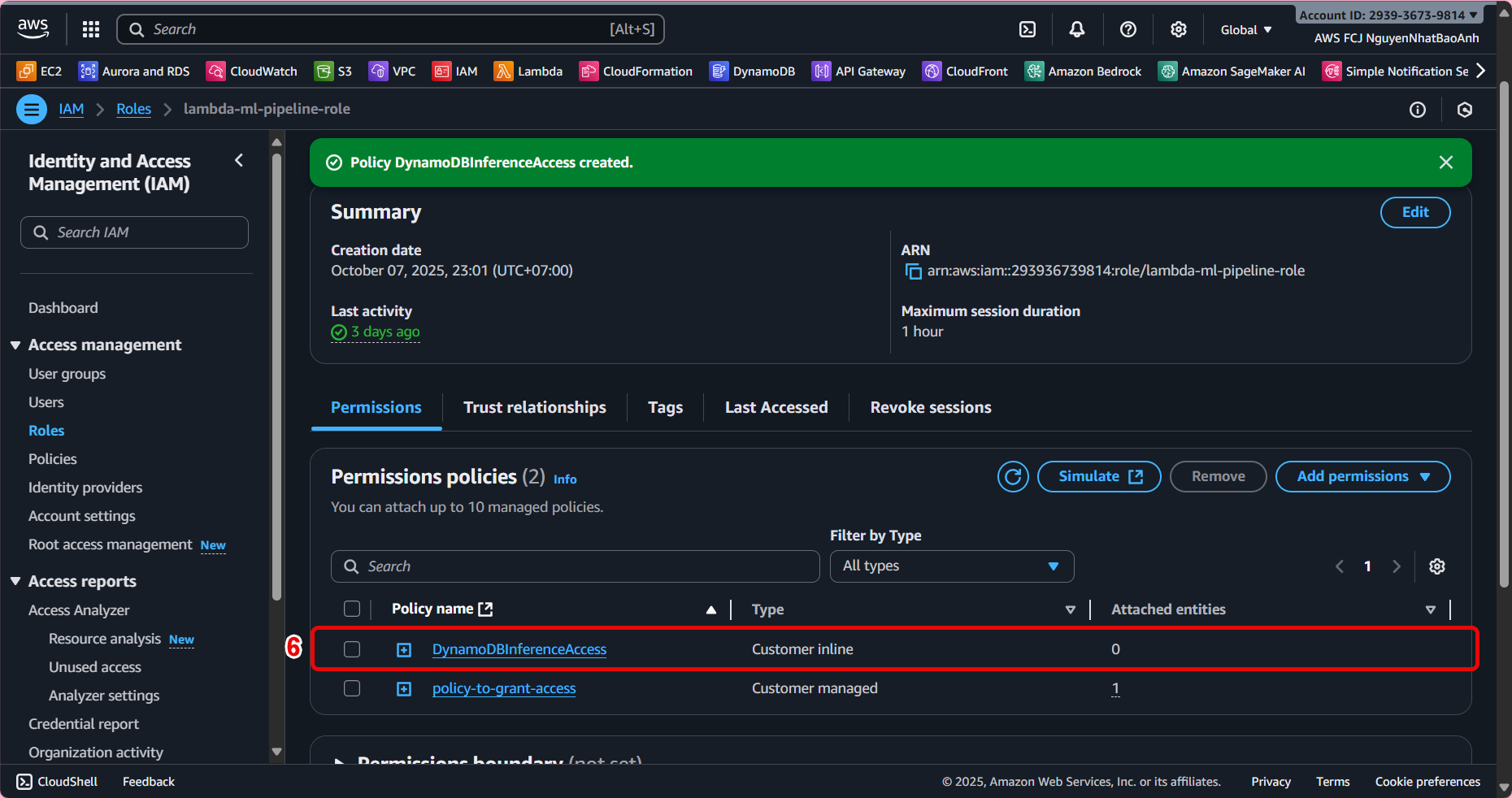
Ensure the Partition key is unique to avoid overwriting data. Record the table name for use in the Lambda configuration step (8.2). The Lambda role must have PutItem permission to write data to the table.
- Check the table
-
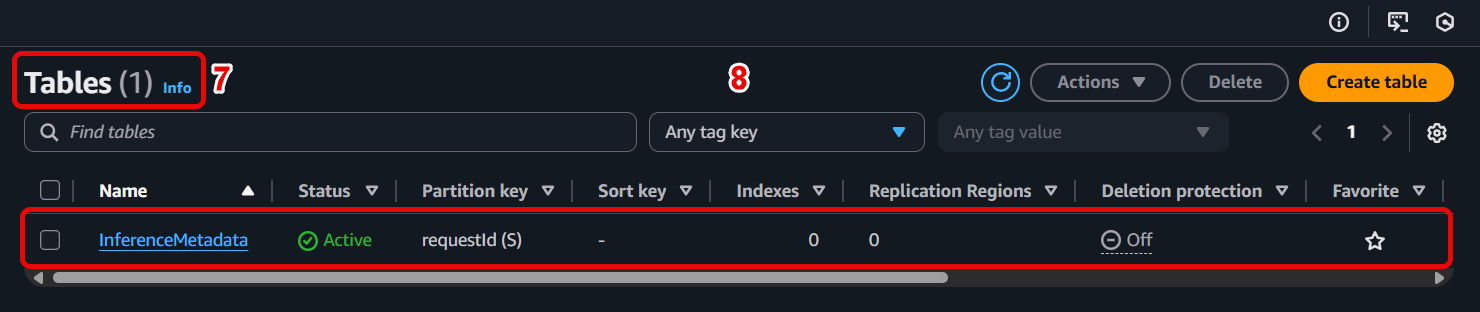
After Lambda writes the inference data, go to the Explore table items tab of the InferenceMetadata table.
-
You will see the records containing full information for each inference.
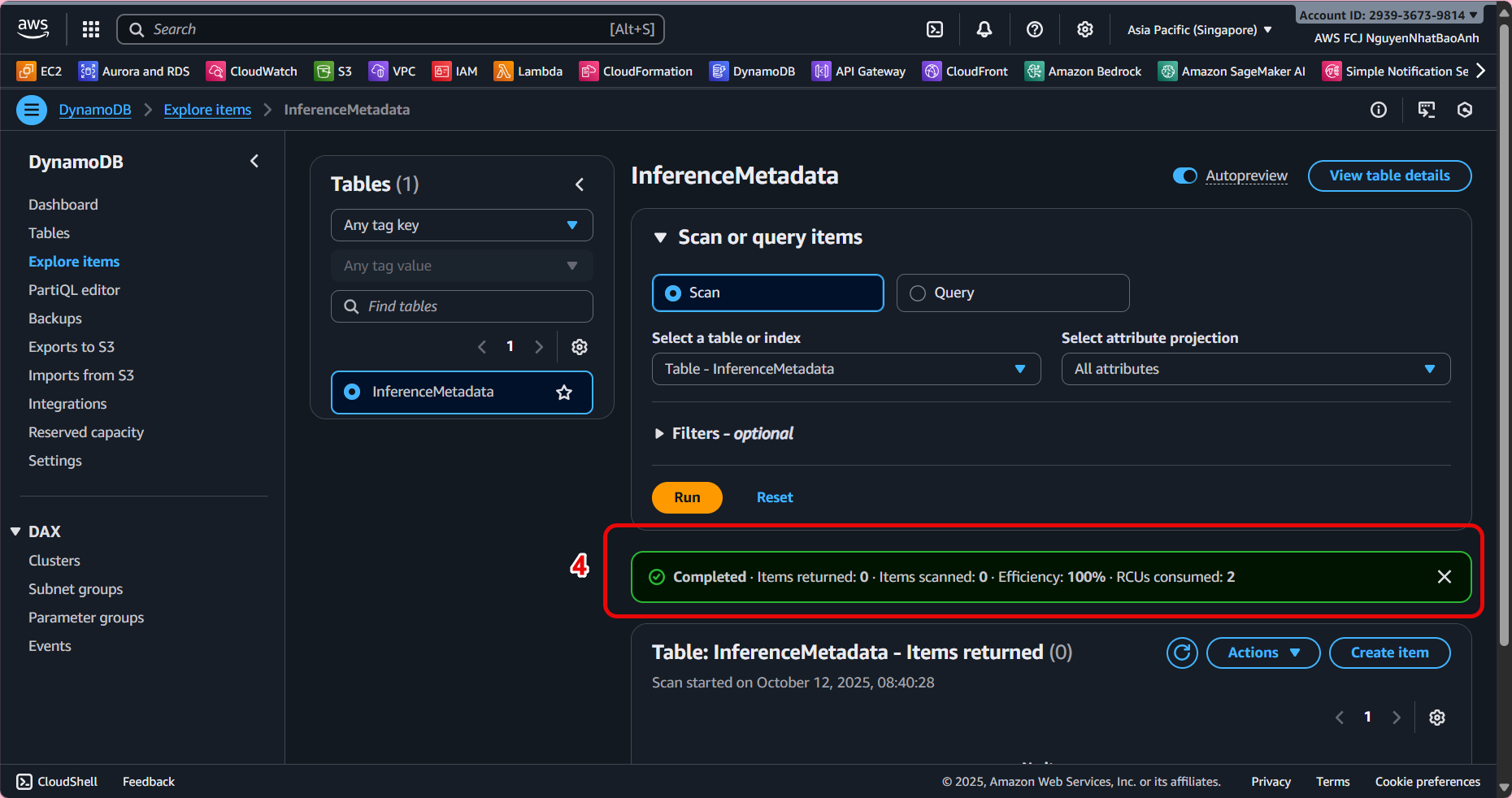
✅ Done
-
You have created a DynamoDB table to store the inference metadata.
-
This is the foundation for Lambda to write data after each prediction, serving the analysis and monitoring goals in the next step.