Clean Up Resources
After completing the entire “Building an End-to-End Machine Learning Pipeline on AWS” workshop, the final step is to clean up all AWS resources that you created during the deployment.
This is extremely important to avoid incurring costs outside of the Free Tier, ensuring security and keeping your AWS account clean for future projects.
🎯 Goal of this step
- 💸 Cost Savings: Prevent costs from services that are no longer in use.
- 🔐 Security: Remove unnecessary IAM, API and resource permissions to reduce security risks.
- 🧰 Clean and easy to manage: Keep your AWS account clean and ready for new workshops or projects.
🗑️ Resources to delete
Here is a list of resources that have been used throughout the project that you need to delete:
- Amazon CloudFront – CDN for delivering applications and content.
- Amazon S3 – Stores data and models.
- Amazon API Gateway – REST API connecting Lambda and endpoint inference.
- AWS Lambda – Functions for data processing, preprocessing, and inference.
- Amazon DynamoDB – Table for storing metadata and inference results.
- AWS IAM – Roles and permissions for Lambda and SageMaker.
🧼 Detailed Cleanup Guide
1. 🧭 Delete a CloudFront Distribution
- Go to CloudFront from the AWS Management Console.
- Select the distribution you created (e.g.,
d1234567890abcdef.cloudfront.net). - Click Disable and wait for the status to change to Disabled.
- Click Delete to completely delete the distribution.
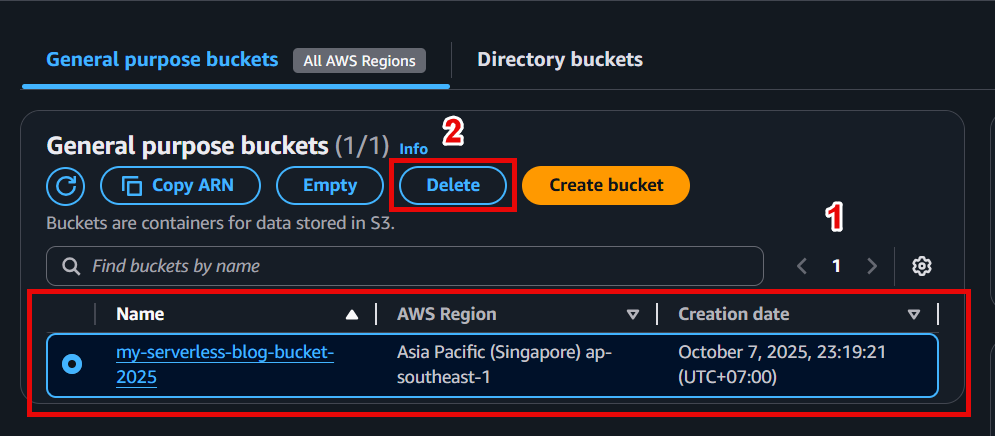
2. 📦 Delete an Amazon S3 bucket
- Go to S3 from the AWS console.
- Select the bucket you created (e.g.,
ml-workshop-data-<account-id>). - Click Empty, enter
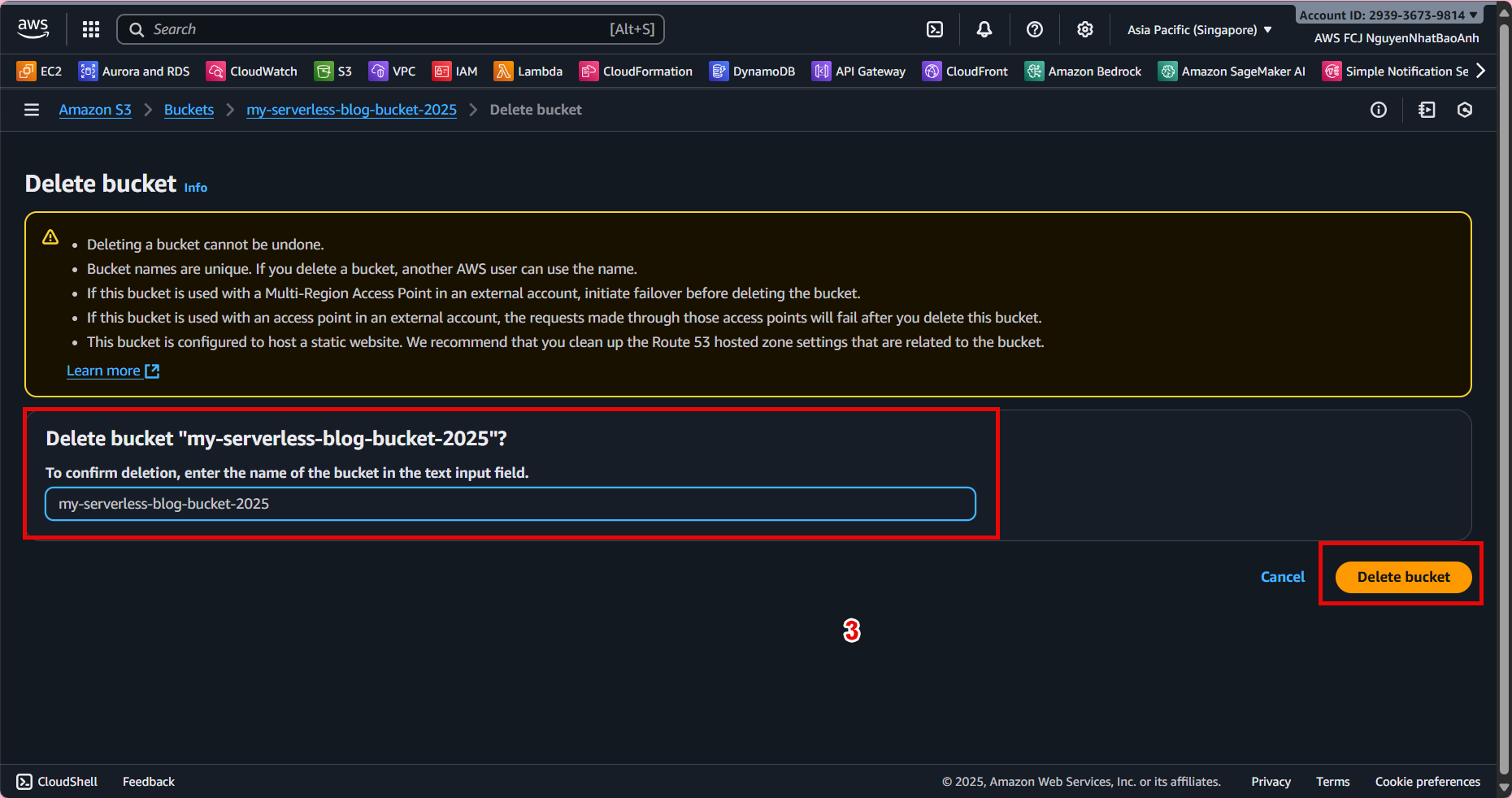
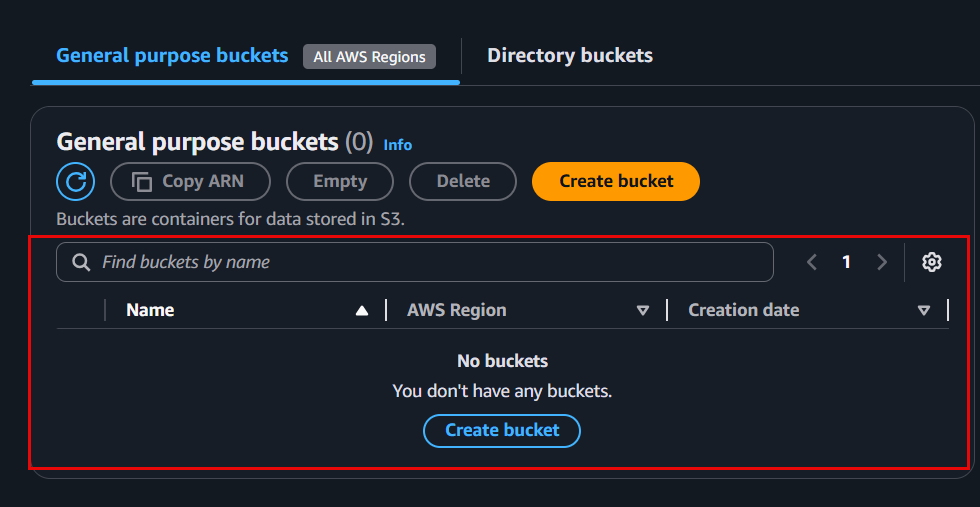
permanently deleteto confirm, then select Empty. - When the bucket is empty, click Delete bucket, enter the bucket name to confirm the deletion.
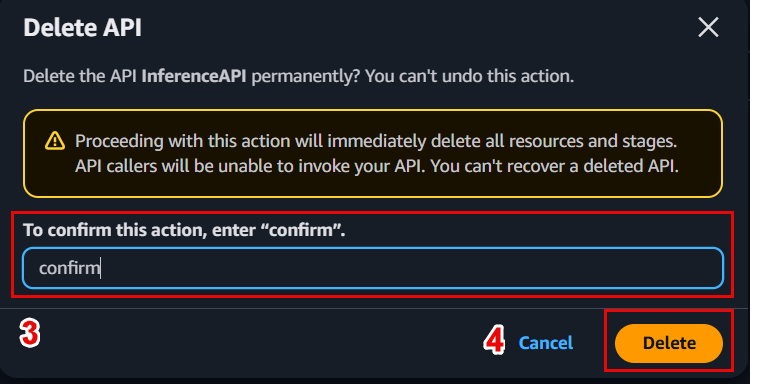
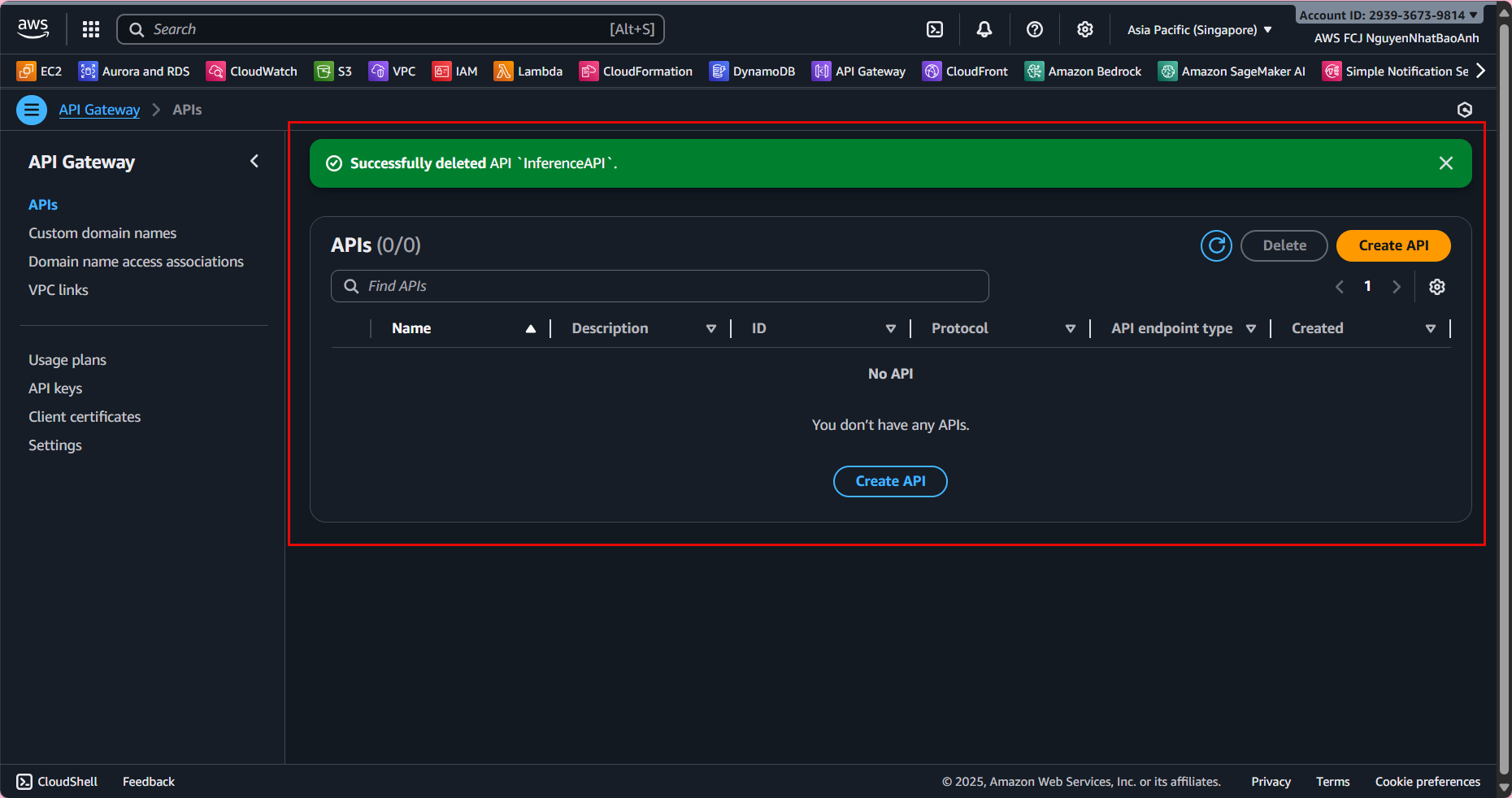
3. 🌐 Delete API Gateway
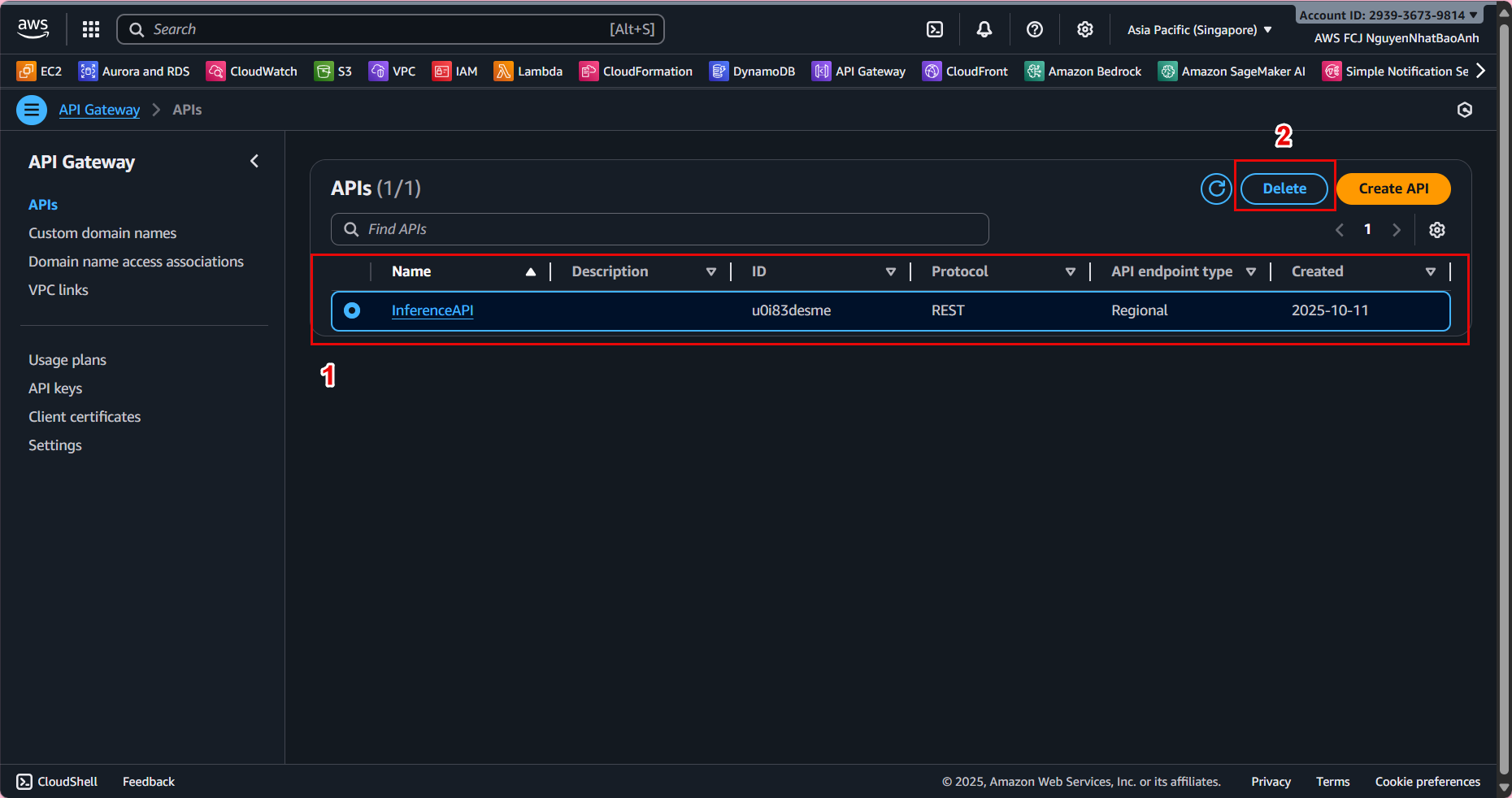
- Go to API Gateway.
- Select the API you deployed (e.g.,
InferenceAPI). - Click Actions → Delete, enter the API name to confirm and complete the deletion.
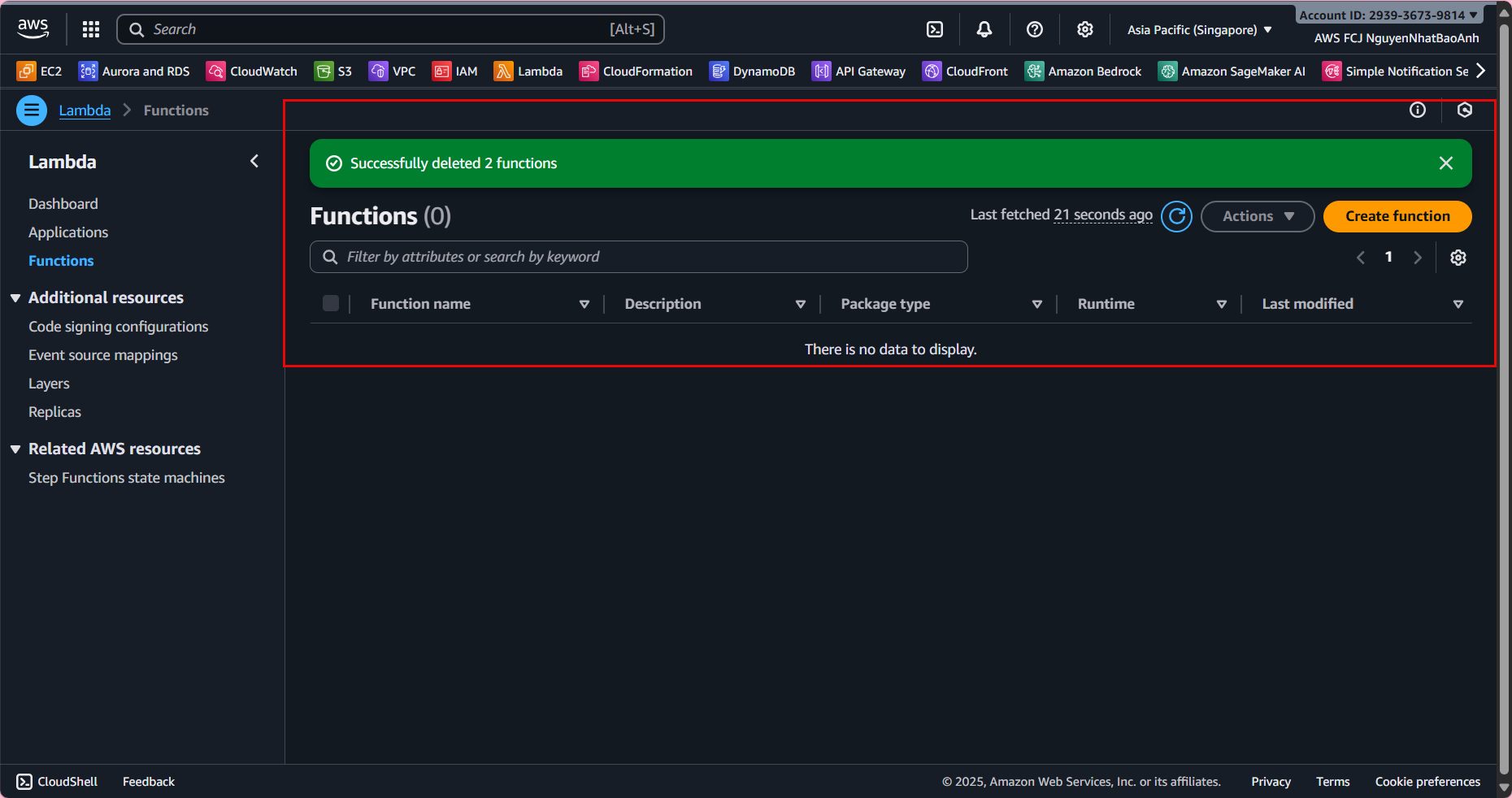
4. 🧠 Delete AWS Lambda functions
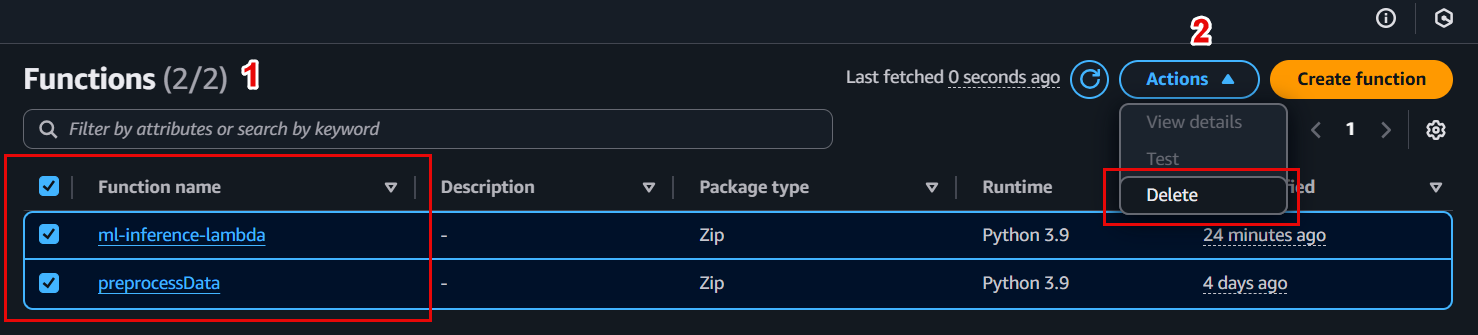
- Go to Lambda from the console.
- Delete all the functions you created, e.g.,
preprocessing-functioninference-function
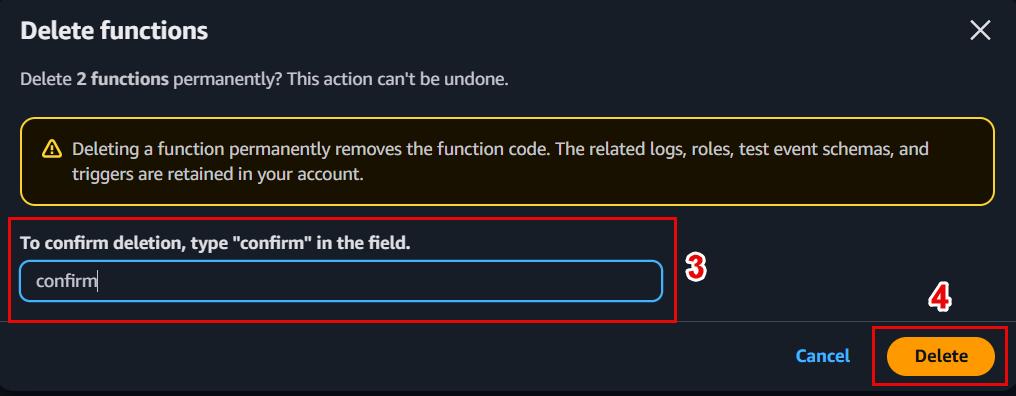
- Click Actions → Delete, confirm the deletion of each function.
5. 📊 Delete a DynamoDB table
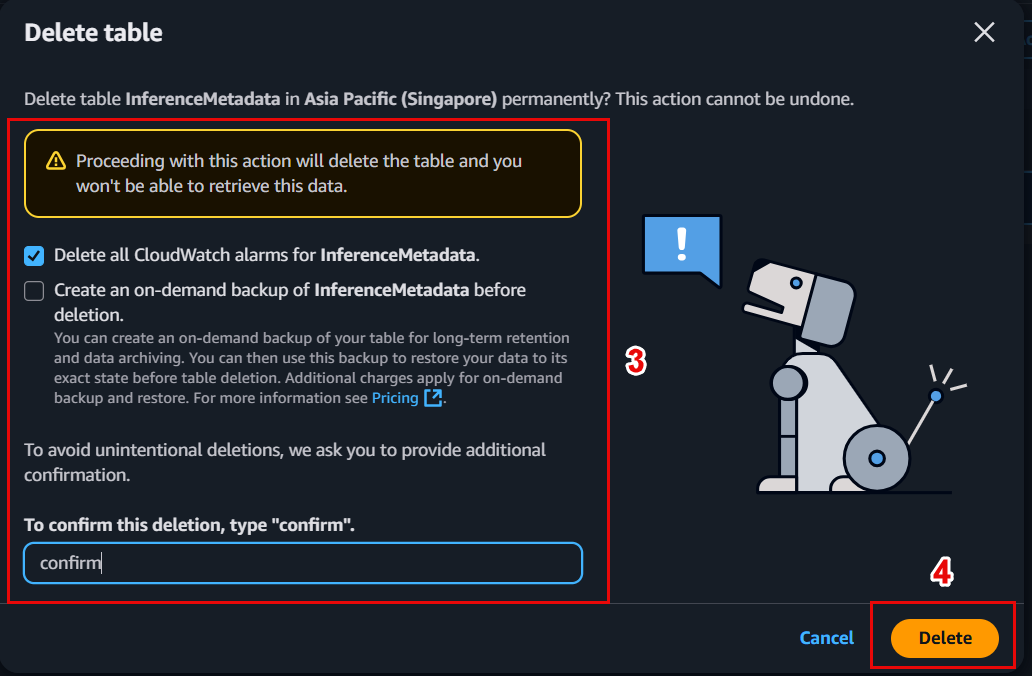
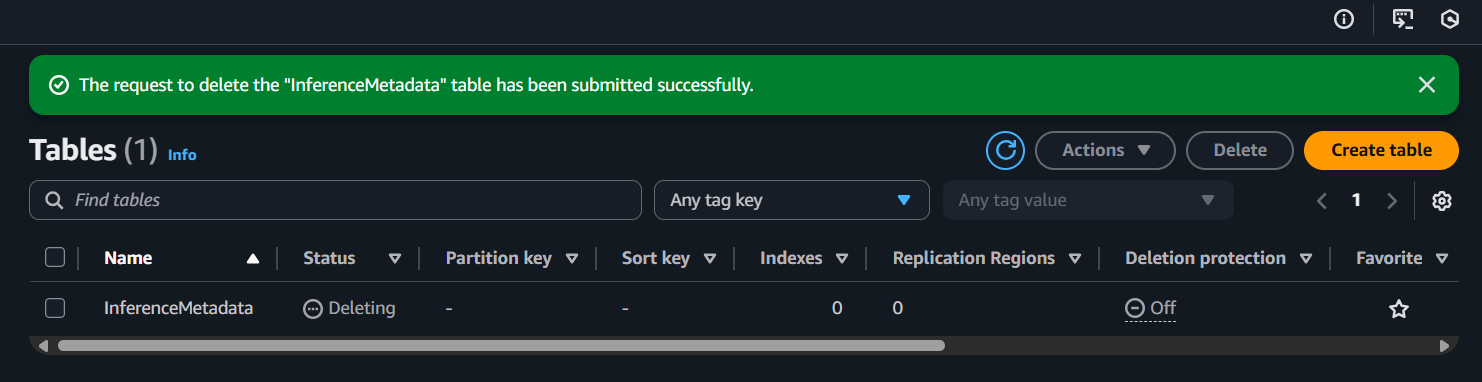
- Go to DynamoDB → Tables.
- Select the table you created (e.g.,
InferenceMetadata). - Click Actions → Delete table, enter the table name to confirm.

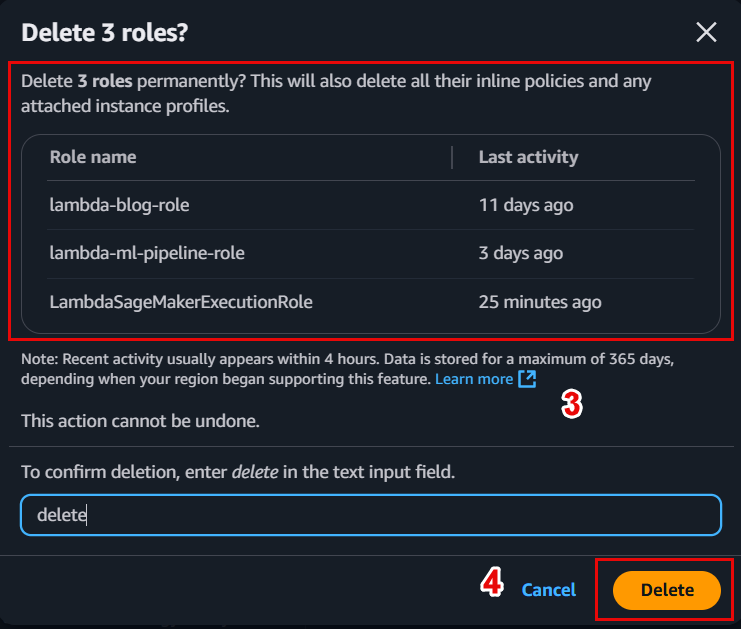
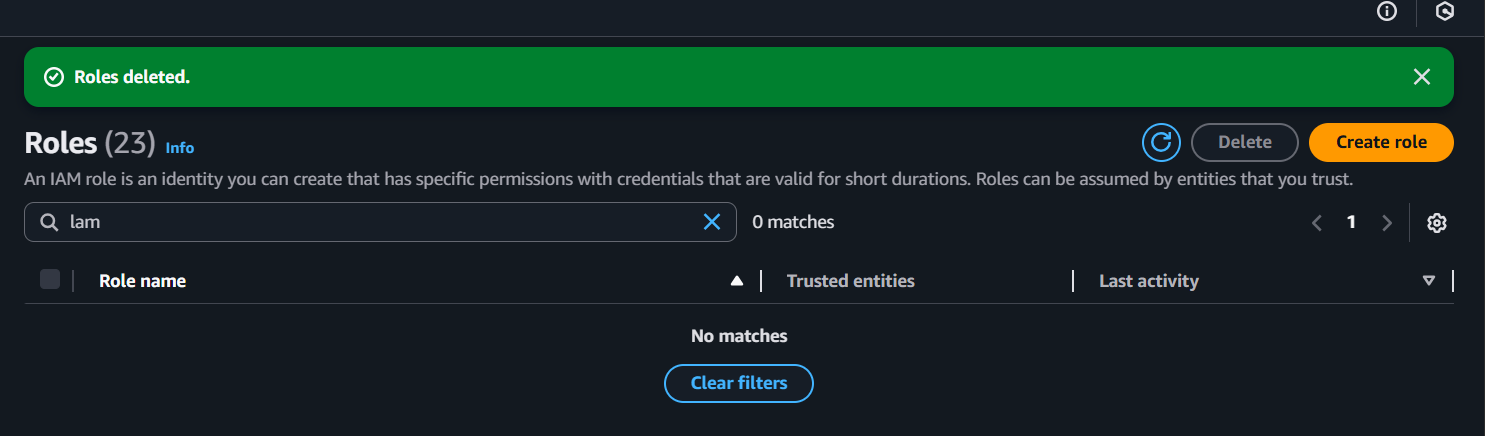
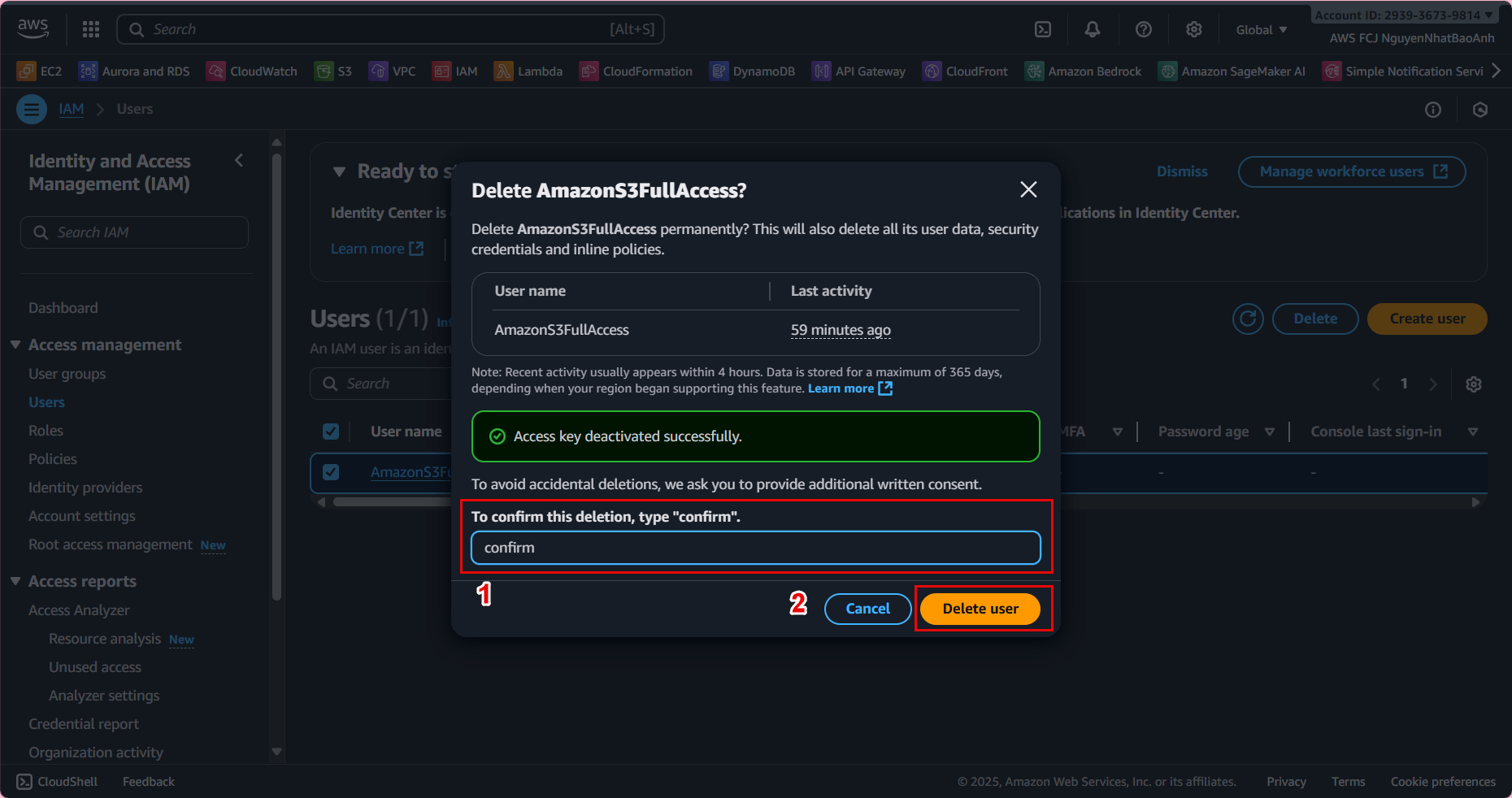
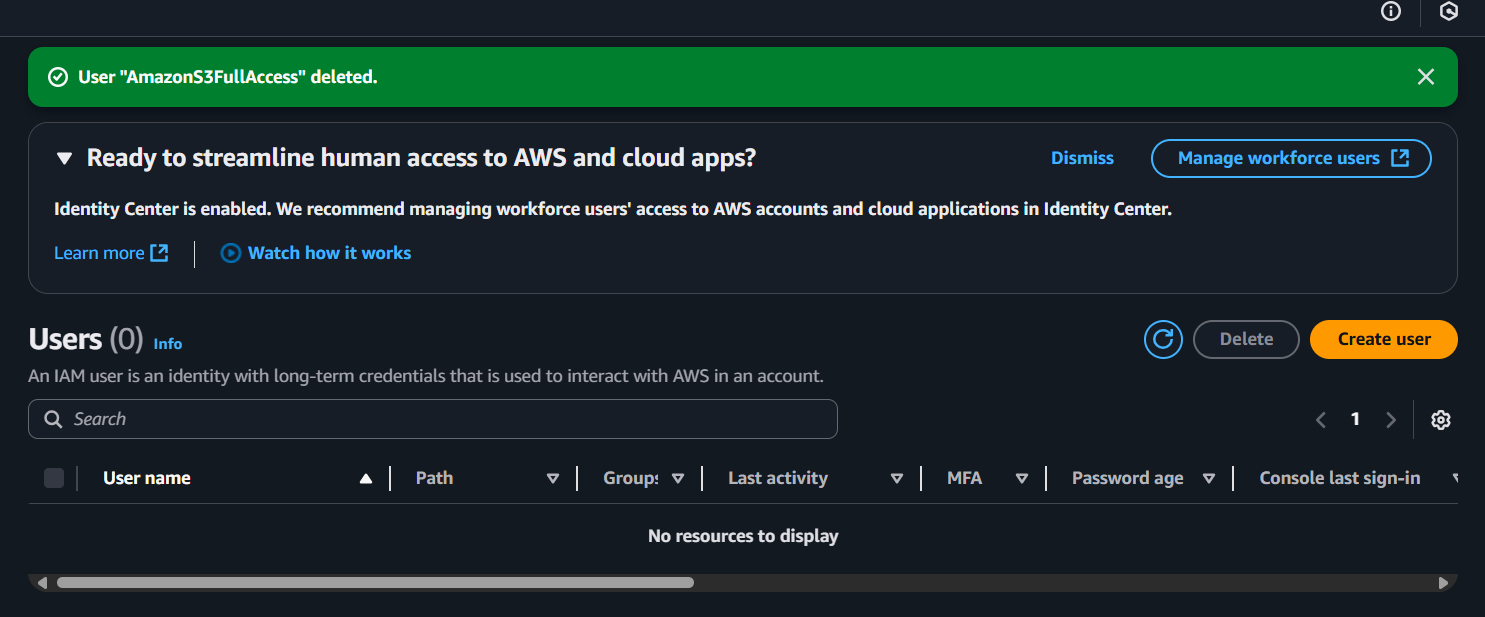
6. 🔐 Delete IAM resources
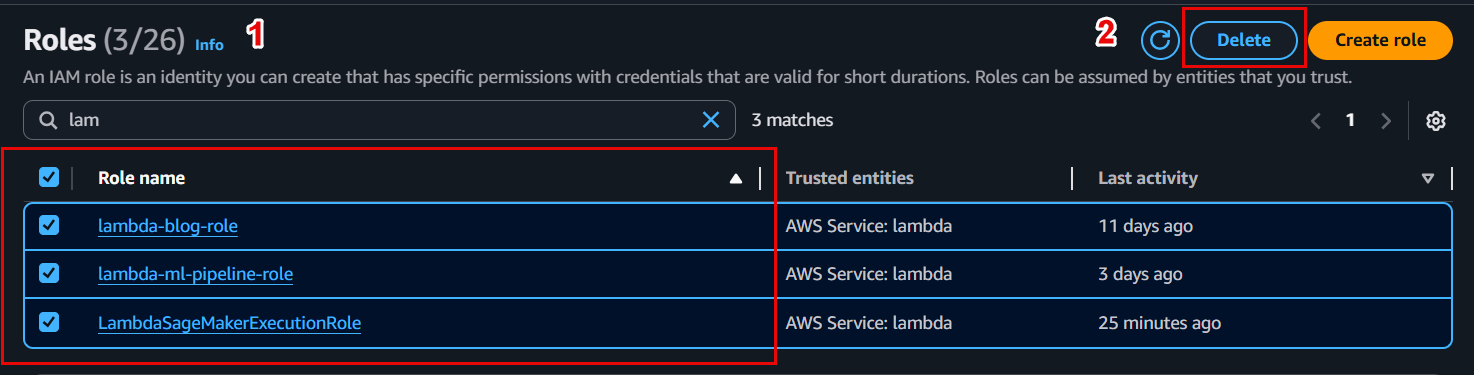
- Go to IAM in the console.
- In Policies, select the created policy (e.g.,
lambda-inference-policy) → Delete. - In Roles, select the related role (e.g.,
lambda-inference-role) → Delete.
⚠️ Important Notes:
- Make sure your S3 bucket is empty before deleting.
- Double-check your resources before deleting to avoid accidentally deleting resources from other projects.
- If you encounter errors when deleting (e.g., a resource is still referenced), check any dependencies such as IAM permissions, API Gateway endpoints, or CloudFront distributions.
✅ Cleanup Results
- All project resources have been deleted.
- Your AWS account no longer has any resources that incur charges.
- You can start new workshops or projects without conflicting with old resources.